How to Make Money with Data Entry Jobs for Beginners
Published: 7 Nov 2026
Data entry is one of the easiest online jobs for a beginner. You type information into a computer. You move data from one place to another. You clean up a messy spreadsheet.
Many small businesses have data but no time to organise it. They need help with customer lists, product details, and invoices. This guide explains the work, the skills, the tools, and where to find real jobs.
What Is Data Entry Work?
Data entry means putting information into a digital system in the right format. A client may give you paper forms, receipts, a PDF, or a messy spreadsheet. You type that information into a spreadsheet, a database, or an online form. You must copy it exactly.
One wrong number in a price or phone number can cause a real problem. So the work is simple, but not careless. You must read carefully and check your work. You must follow the client’s rules every time.
Types of Data Entry Jobs
Not all data entry jobs are the same. Knowing the types helps you choose work that fits your skills. First, spreadsheet data entry. You type lists, prices, and names into Google Sheets or Excel.
Second, form filling. You take information from emails or paper forms and type it into online forms. Speed and accuracy matter most here. Third, e-commerce data entry. Online shops need product names, prices, and sizes added to their store. You may also upload photos.
Fourth, CRM data entry. CRM means customer relationship management. You update customer records in a system such as HubSpot. You add new contacts and update phone numbers. This work often pays a little more. Fifth, data cleaning fixes messy data. Sixth, AI annotation labels data for AI systems.
What Skills Do You Need?
You do not need a degree, but you do need a small set of clear skills. You can learn all of them for free. First, accurate typing. Accuracy matters more than speed at the start. A fast typist with many errors is not useful.
Second, basic English. You need to read instructions and write short, clear messages to clients. You do not need perfect English. You must understand what the client wants.
Third, attention to detail. You must notice small differences. Is it 199 or 1999? Small errors can cost a client money. Slow down and check your work.
Fourth, basic spreadsheet skills. Learn to sort, filter, and use simple formulas such as SUM and AVERAGE. Fifth, organisation. Plan your work and finish on time. Sixth, clear communication. Reply on time and ask questions when unsure.
How Fast Should You Type?
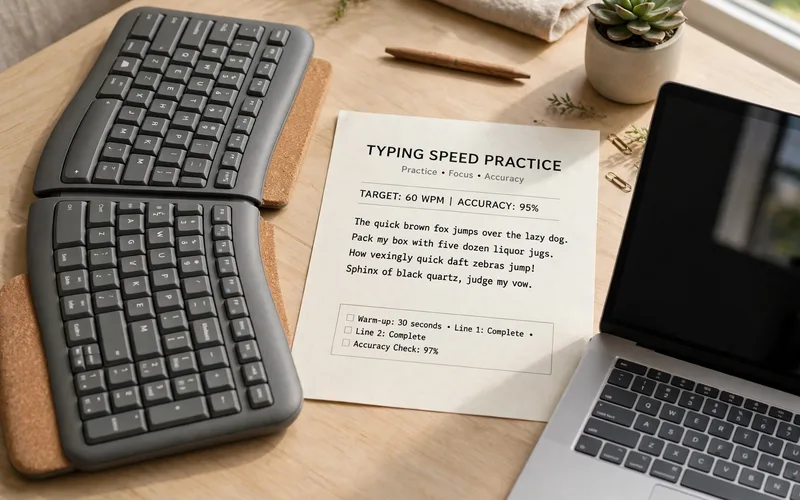
Typing speed is measured in words per minute, or WPM. Most beginners type at 30 to 40 WPM. Many jobs ask for 45 to 50 WPM with high accuracy. Some ask for 60 WPM, but that is not a rule for every job.
Test your speed for free on TypingTest.com or 10FastFingers. Take the test three times and use your average score. Then practise 15 to 20 minutes a day on Typing.com or Keybr. Focus on accuracy first. Speed will grow as your fingers learn the keys.
Learn touch typing if you can. Touch typing means typing without looking at the keyboard. It feels slow at first, but it makes you much faster in a few weeks. Keep your hands in the home position and use all your fingers.
Tools You Need to Learn
You do not need expensive software. Free tools are enough to start. Google Sheets and Microsoft Excel are the main tools. Google Sheets is free and easy to share. Excel is common in larger companies.
Google Docs and Microsoft Word help with simple document work. You may need to type text from a scanned page into a clean document. Learn basic formatting, headings, and tables. A PDF reader helps you open client files, since many clients send PDFs.
OCR tools turn images of text into editable text. OCR means optical character recognition. Free tools such as Google Drive’s built-in OCR can help, but always check the result. OCR often makes errors with numbers and names.
Where to Find Data Entry Jobs
There is no single site that guarantees work. You need to try a few places and apply with care. Upwork is a large freelance site. Clients post data entry jobs and freelancers send proposals. Read each job post fully. Send a short proposal that shows you read it.
Fiverr works in a different way. You create a service, called a gig, and clients come to you. Make your gig very specific. For example, “I will type 500 rows into Excel accurately” beats “I will do data entry.” Add a clear price and a sample of your work.
Clickworker and Amazon Mechanical Turk offer small microtasks. The pay per task is low, but the work is simple and you can start fast. Use these sites to practise. Do not depend on them as your only income.
How Much Can You Earn?
Pay for data entry varies a lot. It depends on your country, your speed, and the type of work. The table below gives illustrative examples only. These are not promises or market averages.
| Job type | Illustrative pay range | What affects the pay |
|---|---|---|
| Basic spreadsheet typing | $5–$10 per hour | Speed, accuracy, and job supply |
| Form filling and CRM updates | $8–$15 per hour | Care with customer data and tools used |
| E-commerce product entry | $8–$15 per hour | Number of products and photo work |
| Data cleaning and AI annotation | $10–$20 per hour | Skill level and task complexity |
Most beginners start at the lower end. That is normal. Your pay can rise as you get faster and learn more tools. A specialist who cleans data or manages a CRM can charge more than a beginner who only types.
Think in terms of a small first goal. Aim to earn your first $50 from a real client, then $100 in a month. Do not believe ads that promise $500 a week for simple typing with no skill.
How to Get Your First Job
First, practise typing for two weeks, 20 minutes a day, and test your speed each week. Second, learn Google Sheets basics. Make one sample spreadsheet with 100 rows of made-up product data. Sort it by price and remove duplicates.
Third, create a clean profile on one freelance site. Use a short title and a simple description. State your typing speed honestly and add your sample as proof of your work. Fourth, apply for small jobs first. Read the full post and write a short proposal in your own words.
Fifth, do any test task with care. Check every row and double-check names, numbers, and dates. Submit it on time. A clean test often leads to the real job. Sixth, deliver neat work with clearly named files.

How to Spot Data Entry Scams
Data entry is a common target for scams because so many beginners search for it. Learn the warning signs before you apply. The biggest warning sign is a fee. A real employer never asks you to pay to start work.
Another warning sign is a job that sounds too easy for high pay. A post that promises $30 or $50 an hour for simple typing is not real. Real beginner pay is much lower, as the table above shows.
Watch for clients who move you off the platform fast. If a client hires you on Upwork and then asks you to talk on Telegram right away, be careful. Scammers do this to avoid payment protection. Keep your work and payment on the platform.
Never share sensitive information. A client does not need your bank password, email password, or a code sent to your phone. If they ask for these things, stop and report the job. Real clients explain the task clearly, so check the post for poor spelling and vague tasks.
Data Entry vs Transcription vs Virtual Assistant
Beginners often mix up these three jobs. They are related, but they are not the same. Data entry is typing data into forms and spreadsheets. You copy information from one place to another. You do not listen to audio. You do not make calls.
Transcription is typing what you hear. You listen to an audio or video file and type every word. You need good listening skills and the ability to follow different accents. Our site has a separate guide on transcription.
A virtual assistant does broader admin work. A VA may manage email, book appointments, and post on social media. Data entry is one small part of a VA’s job. If you like quiet typing, start with data entry. If you like varied tasks, aim for VA work later.
How to Grow Beyond Basic Data Entry
Basic data entry can be a start, not a final job. Many workers use it to learn skills that pay more. First, get faster and more accurate. Move from 45 WPM to 60 WPM with 98% accuracy.
Second, learn Excel at a deeper level. Learn VLOOKUP or XLOOKUP, pivot tables, and data validation. These skills let you clean and check large sets of data. Clients pay more for this work because fewer beginners can do it.
Common Mistakes to Avoid
- Starting before you test your typing speed and accuracy, so you apply for jobs you are not ready for yet.
- Rushing through rows to look fast, which creates errors that cost you the client’s trust and future work.
- Accepting a job without reading the full post, so you miss the format, the deadline, or the file type.
- Using the same weak proposal for every job instead of writing a short reply that fits that one task.
- Paying a fee, deposit, or training cost to “unlock” a data entry job that should be free to apply for.
- Sharing passwords, bank details, or phone codes with a client who asks for them during a job.
- Keeping client files in one place with no backup, so one lost file means lost work and an unhappy client.
- Never asking for a review after good work, which slows down your profile growth on the platform.
Conclusion
Data entry is a real, simple way to start earning online. It does not need a degree or a large investment. It does need accurate typing, basic spreadsheet skills, and care with details.
Build one good sample. Create a clear profile on one freelance site. Apply for small jobs first and deliver clean, checked work on time. Stay away from jobs that ask for money or promise very high pay. Those are warning signs.
FAQs
Do I need experience to start data entry jobs?
No, you do not need work experience. Most beginner jobs ask for typing speed, accuracy, and basic spreadsheet skills. A good sample and a clean test task can prove your skill better than a long CV.
How much can a beginner earn from data entry?
It varies by job, speed, and location. Illustrative beginner rates are often $5–$10 per hour for basic typing and $8–$15 per hour for form filling or shop data work. These are examples only, not a promise.
What typing speed do I need for data entry?
Many jobs ask for 45 to 50 words per minute with at least 95% accuracy. Some ask for less, and some ask for 60 WPM. Test your speed for free, practise 15 to 20 minutes a day, and focus on accuracy first.
What tools should I learn for data entry?
Start with Google Sheets or Excel, Google Docs or Word, and a PDF reader. Learn sorting, filtering, and simple formulas. Later, learn OCR tools and one CRM or shop system such as HubSpot or Shopify.
Where can I find legit data entry jobs?
Try Upwork and Fiverr for freelance work, and Clickworker or Amazon Mechanical Turk for small practice tasks. Check remote job boards for part-time roles, and ask local small businesses if they need paper records typed up.
Is data entry a real job or a scam?
Data entry itself is real work, but many fake job posts use it to trick beginners. Real jobs never ask you to pay a fee first, never ask for passwords or phone codes, and explain the task clearly.
Can I do data entry jobs from Pakistan?
Yes, you can work from Pakistan if you have a computer and stable internet. Many freelance sites accept workers from Pakistan. You will need a way to receive payments, such as Payoneer, so check the payment options first.
How long does it take to get my first data entry job?
It depends on your speed, your profile, and how many jobs you apply for. Some beginners get a small task in one to two weeks. Others take a month or more. Practise typing, build one good sample, and apply for small jobs daily.






- Be Respectful
- Stay Relevant
- Stay Positive
- True Feedback
- Encourage Discussion
- Avoid Spamming
- No Fake News
- Don't Copy-Paste
- No Personal Attacks
- Be Respectful
- Stay Relevant
- Stay Positive
- True Feedback
- Encourage Discussion
- Avoid Spamming
- No Fake News
- Don't Copy-Paste
- No Personal Attacks
