How to Make Money with Google AdSense for Beginners
Published: 7 Nov 2026
Google AdSense is one of the simplest ways to earn money from a blog. You add a small piece of code to your site. Google shows ads in the empty spaces. You earn money when visitors see or click those ads. You do not need to find advertisers yourself. Google does that work for you.
AdSense is free to join. It works for blogs, news sites, and YouTube channels. This guide focuses on AdSense for a blog. It explains approval, ad units, payments, and rejections. It also shows how to grow earnings without breaking the rules.

What Is Google AdSense?
Google AdSense is a free advertising program run by Google. Website owners place ads on their pages. Advertisers pay Google to show those ads. Google shares part of that money with the website owner. For AdSense for Content, publishers receive 80% of the revenue after the advertiser platform takes its fee. That is Google’s published revenue share.
AdSense now pays mainly per impression. An impression means one ad shown to one visitor. You do not earn a fixed amount per visitor. Your earnings depend on your topic, your visitors’ country, and the device they use. A finance blog often earns more per 1,000 views than a jokes blog.
You should never click your own ads. You should never ask friends to click them. You should never build pages just to show ads. Google calls fake clicks “invalid traffic.” It can close your account.
Who Can Apply for AdSense?
Google has a short list of eligibility rules. First, you must be at least 18 years old. If you are younger, a parent or guardian can apply on your behalf. Second, you must own the site or have access to edit its code.
Third, your content must be original. It must be written by you or for you. Copied content and pages with almost no real text will not pass. Fourth, your site must follow AdSense program policies. That means no adult content, no dangerous content, and no misleading pages.
Google does not state a minimum traffic number for a standard website application. Approval is not simply “reach 1,000 visitors and you qualify.” Google looks at content quality, navigation, and ease of use.
Get Your Site Ready Before You Apply
Do not apply on the day you launch your blog. Prepare your site first. Most approved sites have 10 to 20 useful posts before they apply. Each post should be original and helpful. Write posts that answer a real question.
Add three important pages. First, an About page that says who you are and what your blog is about. Second, a Contact page with a way to reach you. Third, a Privacy Policy that explains that your site uses ads and collects data.
Make your site easy to use. Add a clear menu. Link your posts to each other. Make sure every page loads and has no broken links. Remove placeholder text and unfinished pages. Check your site on a phone too. Most visitors read blogs on their phones.

How to Apply for AdSense Step by Step
Applying is simple. The hard part is preparing your site first. First, sign in to AdSense with the Google account you want payments tied to. Enter your site URL and choose your payment country. Use your real details. Google checks them later.
Second, connect your site. Google will give you a small code snippet. Paste it between the head tags of every page. If you use WordPress, a plugin such as Site Kit by Google can do this for you. Then press verify in AdSense.
Third, wait for the review. Google reviews your whole site. This usually takes a few days. In some cases it can take up to four weeks. Do not apply again while you wait. Keep publishing useful posts. Fourth, check the result. If approved, you can start showing ads. If rejected, read the reason, fix it, then apply again.
Ad Units and Auto Ads
After approval, you choose how ads appear. Auto ads are the easiest choice for a beginner. You paste one code snippet on your site. AdSense reads your page layout and places ads by itself. You can control how many ads appear.
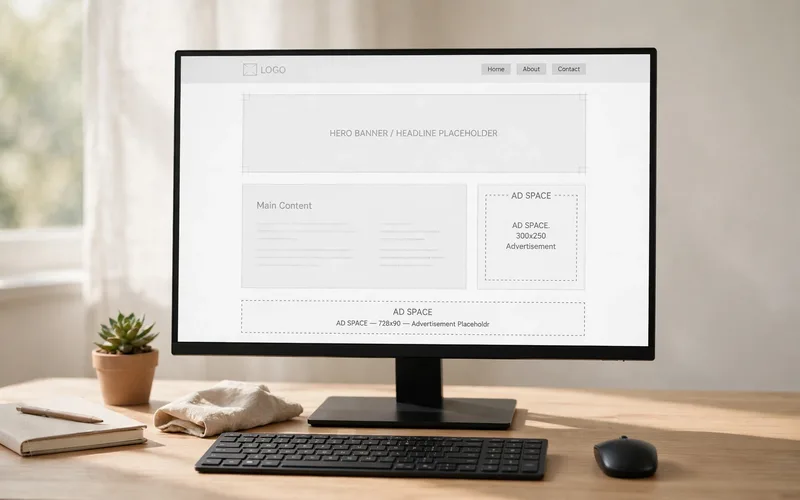
You can also place ad units by hand. Display ads are the classic boxes that appear between paragraphs or in a sidebar. In-article ads sit inside your text. In-feed ads sit inside a list of posts, such as a blog home page. Each unit has a size. A 300×250 box fits well inside an article.
Start with a small number of units. Two or three ad units per article are enough. Too many ads push your content down and annoy readers. Place one ad after the first few paragraphs, one in the middle, and one near the end. Test one change at a time. Note that Google discontinued the Related search for Auto ads format on August 6, 2026. It no longer serves.
How AdSense Pays You
AdSense pays once a month, but only when your balance reaches the payment threshold. For US dollar accounts, the payment threshold is $100. That means you earn nothing in cash until your unpaid balance reaches $100. Small blogs often take months to reach $100.

Before your first payment, Google must verify your address. When your balance reaches $10, Google sends a letter with a PIN to your home address. You enter that PIN in your AdSense account. Make sure your address in AdSense is correct before you reach $10.
You also need to add your payment details and tax information in AdSense. Choose a payment method that works in your country. Common options are bank transfer and, in some countries, a cheque. Your earnings are not a salary. They rise and fall with traffic and the season.
Why AdSense Applications Get Rejected
Most rejections fall into a few clear groups. The table below shows the common reasons and the fix for each one. Read your rejection email first. It names the category. Fix the real problem before you apply again.
| Rejection reason | What it means | How to fix it |
|---|---|---|
| Low value content | Not enough original, useful content | Publish 10–20 full, helpful posts |
| Policy violation | Content breaks AdSense rules | Remove the problem pages and follow the policies |
| Site down | Google could not open your site | Fix hosting and links, then reapply |
| Duplicate account | You already have an account | Use it; Google allows one per publisher |
| Too little content | Too few pages to review | Add more posts and required pages |
“Low value content” is the most common rejection for new blogs. It means Google could not see enough value in your site. The fix is better content, not a new form. Add full posts that answer real questions.
A policy violation means part of your site breaks the rules. Read the policy email with care. Remove or fix the pages it points to. Do not hide the problem and reapply. Google will find it again. Wait a few weeks, publish more good posts, then apply again.
How to Grow Your AdSense Earnings
Your earnings grow when two things grow: your traffic and your earnings per 1,000 views. The second one is called RPM. Good content, a fast site, and the right audience all help it grow.
First, publish more useful posts. Each post can bring visitors from Google search for months or years. Posts that answer a clear question work best. A blog with 50 good posts earns more than a blog with 10 good posts.
Second, make your site fast and easy to read. A slow site loses visitors before ads even load. Use short paragraphs, clear headings, and images that are not too large. Keep your layout clean. A reader who stays longer sees more pages, and more pages mean more ad impressions.
Third, place ads with care. One ad near the top of an article is often seen by most readers. One in the middle works well too. Do not place ads so close together that readers cannot read. Never click your own ads and never ask others to click them. That is the fastest way to lose your account.
AdSense vs Other Ad Networks
Mediavine and AdThrive usually ask for much more traffic. They often need tens of thousands of monthly sessions. They can pay more per 1,000 views, but they are not a starting point for a new blog. Ezoic sits in the middle. It accepts smaller sites, but it can slow your site down.
For most beginners, AdSense is the right first step. Learn how ads work on your site. Grow your traffic. When your traffic grows large, you can compare other networks. Pick one, learn it, and grow with it.
AdSense vs Display Ads in General
Our site has a separate guide on display ads. That guide covers ad networks and placement in general. This article is different. It covers AdSense only: its approval process, its policies, its ad units, and its payment rules. The two guides work together, but they do not repeat each other.
If you want a broad view of how display ads work, read the display ads guide. If you want to join AdSense and keep your account safe, follow this guide. AdSense is one network, not all display advertising. Its rules and approval process are its own.
Common Mistakes to Avoid
- Applying for AdSense with only a few thin posts, so Google rejects the site for low value content.
- Applying again the same day after a rejection, with nothing on the site changed or improved.
- Copying content from other sites, which breaks AdSense policies and blocks approval.
- Clicking your own ads or asking friends to click them, which Google counts as invalid traffic.
- Placing too many ads on one page, which annoys readers and slows the site down.
- Forgetting the About, Contact, and Privacy Policy pages before applying.
- Using a wrong home address in AdSense, which delays the PIN letter and your first payment.
- Expecting fast income from a new blog, and giving up before traffic has time to grow.
Conclusion
AdSense is a real way to earn money from a blog, but it is not fast money. You need a site with original, useful content. You need the About, Contact, and Privacy pages. Apply once, wait for the review, and fix any problem Google names. After approval, start with Auto ads or a few ad units.
Your income depends on traffic and on what advertisers pay for your topic. Small blogs often take months to reach the $100 payment threshold. Publish helpful posts, make the site easy to use, and bring in real readers. Do that for months, and AdSense can become a steady income stream.
FAQs
What is Google AdSense and how does it work?
AdSense is a free program from Google that shows ads on your website. You add a code snippet to your site, Google fills the ad spaces, and you earn money from ad impressions. For AdSense for Content, publishers receive 80% of the revenue after the advertiser platform takes its fee.
How do I get approved for Google AdSense?
Build a site with 10 to 20 original, useful posts first. Add About, Contact, and Privacy Policy pages. Make sure your site is easy to use and follows AdSense policies. Then apply and add the verification code to your site.
How much money can I make with AdSense?
It depends on your traffic, your topic, your visitors’ country, and the season. There is no fixed amount per 1,000 visitors. A small blog may earn very little at first.
How much traffic do I need for AdSense approval?
Google does not state a minimum traffic number for a standard website application. Approval depends on original content, policy compliance, and a site Google can review. A small site with good content can be approved.
Why was my AdSense application rejected?
The most common reason is “low value content,” which means Google could not see enough original, useful content on your site. Other reasons are policy violations, a site Google could not open, or a duplicate account.
What is the AdSense payment threshold?
For US dollar accounts, the payment threshold is $100. Google pays you in the next monthly cycle after your balance reaches $100.
Can I use AdSense on a free blog?
You can apply with a site you own or control, including some free platforms, but a self-hosted blog with your own domain gives you the best chance. Free platforms may limit the code you can add.
Is Google AdSense safe and legit?
Yes, AdSense is a real program run by Google, and millions of sites use it. It is safe if you follow the rules: publish original content, never click your own ads, and never buy fake traffic.






- Be Respectful
- Stay Relevant
- Stay Positive
- True Feedback
- Encourage Discussion
- Avoid Spamming
- No Fake News
- Don't Copy-Paste
- No Personal Attacks
- Be Respectful
- Stay Relevant
- Stay Positive
- True Feedback
- Encourage Discussion
- Avoid Spamming
- No Fake News
- Don't Copy-Paste
- No Personal Attacks
