10 Best Online Typing Jobs for Beginners to Work From Home
Published: 22 Oct 2026
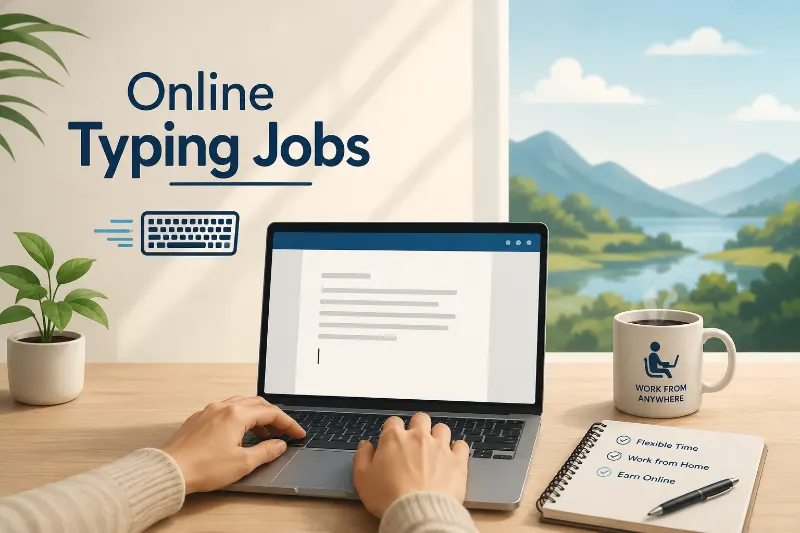
Online typing jobs can help beginners use their computer skills to earn money from home. You do not always need a degree or years of experience to get started. But you do need to choose genuine work and avoid scams.
In this guide, you’ll learn about 10 online typing jobs, the skills each job needs, and how to find your first opportunity. Which typing job is the best fit for your skills and free time?
The best online typing jobs for beginners include data entry, transcription, freelance writing, virtual assistance, proofreading, and live chat support. Start with one job that matches your current skills, build a small portfolio, and apply through trusted platforms.
What Are Online Typing Jobs?
Online typing jobs involve using a keyboard to enter, create, edit, or organize information for clients or companies. Many roles require basic computer skills, attention to detail, and a reliable internet connection.
Beginners can choose simple tasks or learn skills that lead to better freelance opportunities.
- Basic tasks: Enter data, format documents, or type recorded speech.
- Skilled tasks: Write articles, edit documents, or manage online messages.
10 Best Online Typing Jobs You Can Do From Home
The right job depends on your typing speed, English skills, experience, and available time. Here are 10 options to explore, including beginner-friendly tasks and opportunities that may need extra training.
1. Data Entry: Type and Organize Information
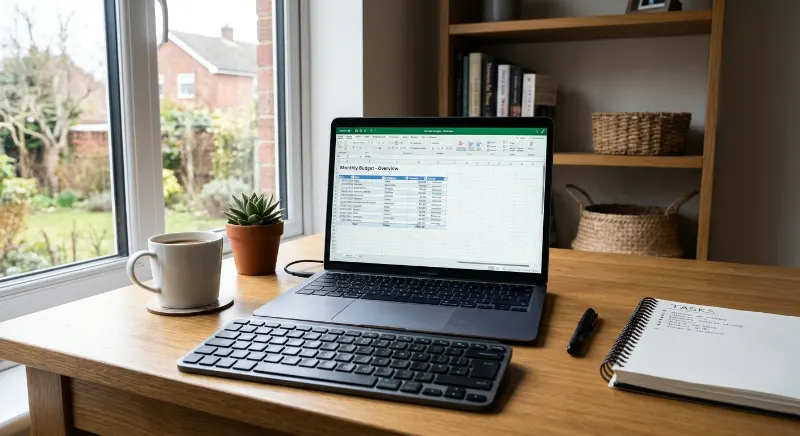
Data entry is a common starting point for people looking for online typing jobs. You enter information into spreadsheets, online forms, or company databases. Accuracy matters more than typing quickly.
- Enter names, addresses, and product details.
- Update spreadsheets and digital records.
- Check information for typing errors.
Skills needed: Basic computer use, careful typing, and familiarity with spreadsheet tools.
Example: A small online shop hires a freelancer to enter product names, prices, and stock details into a spreadsheet.
How to start: Practise with a sample spreadsheet, then search for remote data entry projects on reputable freelance marketplaces and job boards. Never pay a recruiter to unlock a job.
2. Freelance Writing: Create Content for Websites
Freelance writing suits people who enjoy typing and explaining ideas. Businesses hire writers to create blog posts, website pages, product descriptions, and email content. Strong writing skills matter more than raw typing speed.
- Write blog posts and website articles.
- Create product descriptions.
- Prepare newsletters and short business emails.
Skills needed: Clear writing, basic research, grammar, and the ability to follow instructions.
Example: A website owner needs a beginner-friendly article about saving money. A freelance writer researches the topic and prepares an original draft.
How to start: Write two sample articles on topics you understand. Keep them in a simple portfolio and apply for small writing projects.
For more ideas about earning through a website, explore our guide to starting a blog and understanding blog income.
3. Blogging: Turn Your Typing Skills Into a Website
Blogging is a longer-term option for people who want to publish useful content. You write articles, answer readers’ questions, and build traffic through search engines and Pinterest. However, a blog does not provide guaranteed or instant income.
- Publish helpful articles for a specific audience.
- Learn basic SEO to help people find your posts.
- Explore ads, affiliate links, or relevant services as your blog grows.
Skills needed: Writing, topic research, basic SEO, and consistency.
Example: A beginner creates a blog about home organization and publishes practical tips. Over time, the blog may attract visitors and create opportunities to earn through suitable monetization methods.
How to start: Choose one topic, plan five useful articles, and learn the basics of publishing and keyword research. Treat blogging as a business you build over time, not a quick-paying typing job.
4. Virtual Assistant: Handle Everyday Online Tasks
A virtual assistant helps business owners manage routine work online. Typing is often part of the job, along with email handling, scheduling, document preparation, and basic customer support.
- Type and format business documents.
- Organize emails and update records.
- Prepare meeting notes and simple reports.
Skills needed: Clear communication, organization, and basic office software skills.
Example: A freelance coach hires a virtual assistant to organize client details and type notes after online meetings.
How to start: Learn basic tools such as Google Docs and Google Sheets. Offer a small service package and show clients a sample of your work.
5. Transcription: Turn Audio Into Written Text
Transcription involves listening to a recording and typing the words you hear. Clients may need interviews, meetings, podcasts, or lectures converted into text. Good listening skills and careful proofreading are essential.
- Type interviews and recorded meetings.
- Transcribe podcasts or educational recordings.
- Review your work for missing words and errors.
Skills needed: Accurate typing, listening, grammar, and patience.
Example: A podcast creator hires a transcriber to turn an episode into a written document for readers who prefer text.
How to start: Practise with a short recording and compare your transcript with the audio. Check the requirements of each platform before applying, as some jobs require a skills test.

6. Online Tutoring: Type Learning Materials
Online tutoring is not a typing-only job, but it can suit people who type well and understand a school subject. Tutors may prepare worksheets, lesson notes, quizzes, and written explanations for students.
- Prepare worksheets and practice questions.
- Type lesson notes and study guides.
- Provide written feedback on student work.
Skills needed: Knowledge of a subject, clear explanations, and basic document formatting.
Example: A tutor creates a set of grammar exercises in a document and shares it with students before a lesson.
How to start: Choose a subject you know well. Create a short sample worksheet and look for legitimate tutoring or educational-content opportunities.
7. Proofreading: Find and Correct Writing Mistakes
Proofreading involves checking written content for spelling, punctuation, grammar, and formatting errors. It suits people who notice small mistakes and enjoy making documents easier to read.
- Correct spelling and punctuation.
- Check grammar and sentence clarity.
- Review documents for consistent formatting.
Skills needed: Strong language skills, attention to detail, and patience.
Example: A blogger asks a proofreader to check a draft before publishing it. The proofreader corrects mistakes without changing the writer’s main ideas.
How to start: Practise editing a short article and keep a before-and-after sample. Learn the difference between proofreading and editing: proofreading focuses on final errors, while editing can improve wording and structure.
8. Captioning: Add Text to Videos
Captioning means creating text that displays the spoken words in a video. Some roles also require timestamps and sound descriptions. This work can suit people who type accurately and pay close attention to audio.
- Type spoken words for video captions.
- Match captions to the correct timing.
- Check names, punctuation, and readability.
Skills needed: Listening, typing accuracy, and basic video-captioning tools.
Example: A course creator needs captions for a short lesson so viewers can follow the spoken information more easily.
How to start: Make a short sample caption file and learn the caption format requested by the client. Check whether the role requires experience or a timed assessment.
9. Social Media Management: Write Posts for Businesses
Social media managers create and organize content for platforms such as Pinterest, Instagram, and Facebook. Typing is part of the job, but clients may also expect planning, research, and basic design skills.
- Write captions and short post descriptions.
- Schedule content using approved tools.
- Reply to comments and organize messages.
Skills needed: Clear writing, platform knowledge, organization, and an understanding of the audience.
Example: A small home decor business hires a freelancer to write captions and prepare a weekly content calendar.
How to start: Create a sample seven-day content plan for a business niche. Include post ideas, captions, and suitable keywords to show potential clients what you can do.
10. Live Chat Support: Answer Customer Questions
Live chat support workers help customers through a company’s website or messaging system. They type answers, explain basic processes, and direct customers to the right team when needed.
- Answer common customer questions.
- Explain orders, services, or account steps.
- Record customer issues for follow-up.
Skills needed: Fast and accurate typing, clear communication, patience, and problem-solving.
Example: An online store hires a support agent to answer questions about delivery times and order status through its website chat.
How to start: Practise writing short, polite responses to common customer questions. Search for remote customer support roles and check their shift, language, and equipment requirements before applying..
How to Find Legitimate Online Typing Jobs
Finding a genuine typing job takes research and patience. Use trusted job platforms, read the full job description, and check how the company pays workers before sharing personal information.
Which websites can help you find typing work?
Start with established platforms and search for the exact role you want. Availability, eligibility, and application requirements vary by country and employer.
- Upwork — freelance projects.
- Fiverr — services you offer to clients.
- LinkedIn Jobs — remote and company jobs.
- Indeed — job listings and employment opportunities.
You can also check company career pages directly. Search terms such as remote typing jobs, online data entry jobs, and work from home typing jobs can help you narrow your results.
How can you avoid typing job scams?
Some fake employers use typing jobs to collect fees or personal information. A professional-looking website does not prove that a job is genuine.
- Never pay a fee to secure a job.
- Avoid promises of unusually high pay for simple tasks.
- Verify the employer and its contact details.
- Never share passwords or banking login details.
How can you improve your chances of getting hired?
Employers want reliable workers who follow instructions and submit accurate work. A few small steps can help you present your skills more clearly.
- Practise typing and check your accuracy.
- Create one or two relevant work samples.
- Read every job requirement before applying.
- Send a short, tailored application.
What Skills Do You Need for Online Typing Jobs?
Most entry-level roles require basic computer skills, but some jobs need more training. Choose work that matches your current ability and improve one skill at a time.
Which skills should beginners learn first?
Focus on skills that apply to several types of typing work. These basics can help you qualify for more opportunities later.
- Accurate typing and proofreading.
- Google Docs and spreadsheet basics.
- Clear written communication.
- File handling and time management.
For example, someone who can format documents and organize spreadsheet data may be ready to apply for entry-level administrative work.
FAQ
1. Can beginners get paid for typing online?
Yes, beginners can find paid typing work. Most jobs still require accuracy, reliable communication, and a suitable application.
- Start with simple data entry tasks.
- Try small freelance projects.
- Build samples to show your skills.
- Check the employer before accepting work.
2. How much can you earn from typing jobs?
There is no single earning rate for all typing jobs. Employers may pay per hour, per project, per audio minute, or per completed task.
- Check the payment method before starting.
- Compare the rate with the work required.
- Include platform fees in your calculations.
- Do not treat advertised maximum pay as guaranteed income.
3. Do online typing jobs require experience?
Some entry-level jobs accept beginners, while others require a portfolio or skills test. Read each listing carefully before applying.
- Practise with free typing exercises.
- Prepare sample documents.
- Apply for beginner-friendly roles.
- Be honest about your experience.
4. Can I do typing jobs using a mobile phone?
Some simple tasks work on a phone, but most professional typing jobs are easier on a computer. Spreadsheets, long documents, and transcription tools often need a larger screen and keyboard.
- Use a laptop or desktop when possible.
- Check the employer’s equipment requirements.
- Test your typing accuracy before applying.
5. How can students start earning through typing jobs?
Students can begin with small projects that fit around their studies. They should choose flexible work and avoid jobs that require upfront payments.
- Practise typing and document formatting.
- Start with small, manageable projects.
- Set a weekly work schedule.
- Explore our guide on how to save money for students.
Conclusion
Online typing jobs offer different ways to use your computer skills, from data entry to writing and customer support. Start with one suitable role, practise regularly, and apply through trusted platforms.
Your next step: Choose one job from this list and prepare a sample of your work today. Which typing job will you try first?




- Be Respectful
- Stay Relevant
- Stay Positive
- True Feedback
- Encourage Discussion
- Avoid Spamming
- No Fake News
- Don't Copy-Paste
- No Personal Attacks
- Be Respectful
- Stay Relevant
- Stay Positive
- True Feedback
- Encourage Discussion
- Avoid Spamming
- No Fake News
- Don't Copy-Paste
- No Personal Attacks
