10 Best Free SEO Tools for Beginners in 2026
Published: 8 Nov 2026
Introduction
You do not need to spend money on SEO tools to start a blog. You need the right free tools, and you need to know what each one does. Many beginners sign up for ten tools, open ten dashboards, and then do nothing. They feel busy, but their blog does not grow.
This guide looks at ten free SEO tools for beginners in 2026. For each tool, you will learn what it does, what its free plan allows, and when to use it. You will also get a simple starter toolkit and a weekly routine.

What a Beginner Actually Needs From SEO Tools
A beginner does not need twenty tools. A beginner needs answers to five simple questions. What are people searching for? Can Google find and read my site? Which pages already show up in search results? Is my site fast and easy to use on a phone? What should I fix next?
If a tool answers one of these questions, it is useful. If it only gives you numbers you do not understand, skip it for now. Learn one tool well before you add another.
Know the difference between free and freemium. A free tool costs nothing and has no paid plan. A freemium tool has a free plan with limits and a paid plan with more. Other tools guess search volume, so use their numbers as a guide, not as a promise.
1. Google Search Console
Google Search Console is the first tool every beginner should set up. It is free and comes straight from Google. It shows which search terms bring people to your site, how many clicks each page gets, and which pages Google has indexed. There is no usage limit for a normal small site, but you can only see data for sites you own. Data also lags by one or two days. Use it weekly to find queries with many impressions but few clicks, and fix indexing errors first.

2. Google Analytics
Google Analytics, also called GA4, tells you what visitors do after they arrive. It shows your visitors, your top pages, where traffic comes from, and how long people stay. The standard version is free for most small sites, with no daily search limit. The hard part is the learning curve, so start with only three reports: traffic sources, top pages, and landing pages. Use it to learn which topics your readers like, and write more on what already works.
3. Google Keyword Planner
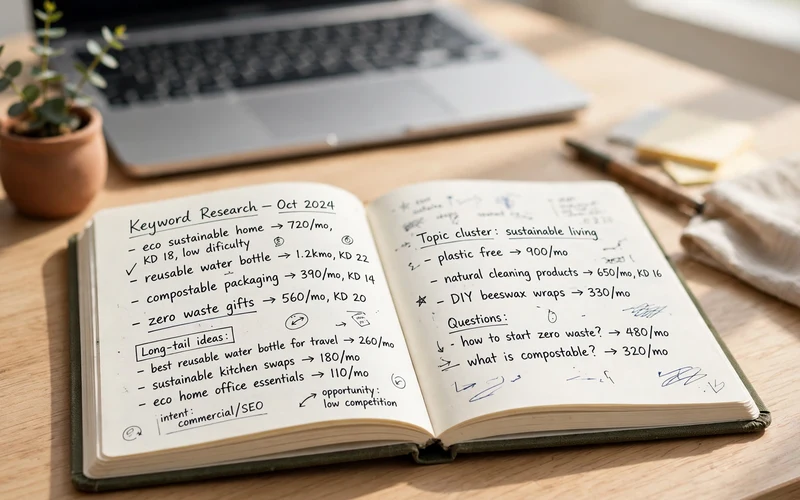
Google Keyword Planner is Google’s own keyword tool. It is free, but you need a Google Ads account to use it. You do not need to run an ad or spend money. It gives keyword ideas from a seed word and shows average monthly search ranges. The volume is a broad range, not an exact number, unless you run ads. That is still useful, because it shows if a topic has real demand. Use it when you plan new posts, and pick longer phrases a beginner would type.
4. Ubersuggest (Free Plan)
Ubersuggest is a beginner-friendly tool by Neil Patel. It gives keyword ideas, search volume estimates, an SEO difficulty score, content ideas, and a basic site audit in one simple dashboard. The free plan allows about three searches or reports per day, and that limit runs out fast if you browse without a plan. A seven-day trial opens full access, but it asks for card details. Before you open it, write down the three keywords you want to check.
5. AnswerThePublic (Free Plan)
AnswerThePublic shows the questions people ask around a topic. Type a word like “blogging” and it returns questions such as how to start, what it costs, and whether it makes money. These questions tell you what real people want to know. The free plan allows only a few searches per day, and the exact number can change. You need a free account to use it. Use it when you plan an article’s headings and FAQs, and pick questions you can answer well.
6. Yoast SEO and Rank Math (Free Versions)
Yoast SEO and Rank Math are free WordPress plugins. They check your title, meta description, headings, and keyword use, and they help you create a sitemap. You only need one of them, not both, because running two SEO plugins can cause conflicts. Rank Math’s free version includes more features. Yoast’s free version is simpler, with clear traffic light signals. Use your plugin as a checklist, not as a score to chase. A green light does not mean your post will rank.
7. Screaming Frog SEO Spider (Free Version)
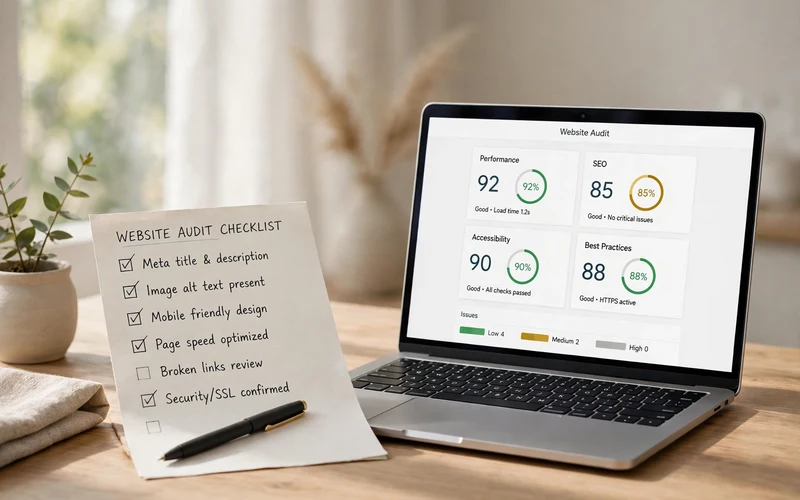
Screaming Frog is a desktop tool that crawls your site the way a search engine does. It finds broken links, missing titles, duplicate titles and descriptions, and redirect chains. The free version crawls up to 500 URLs per crawl, which covers most beginner blogs in full. It does not save crawls, and unlimited crawling needs the paid licence. Use it once a month, fix broken links and missing titles first, and ignore small warnings.
8. Bing Webmaster Tools
Bing Webmaster Tools is Microsoft’s free tool for site owners. It is like Search Console, but for Bing search. It shows your site’s performance in Bing, indexing status, and backlink data, plus a free site scan. It is completely free, with no paid plan and no stated usage cap. Setup is fast if you already use Search Console, because it can import your site from there. Its data describes Bing searches, not Google searches, so use it as a second check.
9. Google PageSpeed Insights
Google PageSpeed Insights is a free tool that checks how fast a page loads. You paste a page link, and it gives you a score for mobile and desktop. It also shows Core Web Vitals, which measure loading speed, visual stability, and how fast a page responds to a tap. It is free with no login and no search limit. Use it when a page feels slow. Test your home page and top posts, fix large images first, and do not chase a perfect score.
10. MozBar (Free Version)
MozBar is a free browser extension from Moz. It shows the Page Authority and Domain Authority of any page you visit, along with link data. The free version allows a limited number of link and keyword queries per month, and full data needs a paid Moz plan. The scores are Moz’s own estimates, not Google’s scores, because Google does not use Domain Authority to rank pages. Use it to judge a keyword: if the top results come from very strong sites, pick an easier one.
Free SEO Tools Compared
The table below puts all ten tools side by side. Limits can change, so check each tool’s pricing page first. Cost figures are illustrative only.
| Tool | Best For | Free Limit | Paid Plan |
|---|---|---|---|
| Google Search Console | Search performance, indexing | Free, no usage limit | None |
| Google Analytics | Visitor behaviour, top pages | Free for most small sites | None |
| Google Keyword Planner | Keyword ideas from Google | Free, needs Ads account | None |
| Ubersuggest | Simple keyword and content ideas | About 3 searches per day | Low monthly fee |
| AnswerThePublic | Questions people ask | Few free searches per day | Low monthly fee |
| Yoast SEO / Rank Math | On-page checks in WordPress | Free plugin, key features included | Low yearly fee |
| Screaming Frog | Technical crawl of your site | Up to 500 URLs per crawl | Yearly fee |
| Bing Webmaster Tools | Bing performance, site scan | Free, no stated usage cap | None |
| PageSpeed Insights | Page speed, Core Web Vitals | Free, no login, no limit | None |
| MozBar | Quick check of page strength | Free extension, limited monthly queries | Monthly fee |
Your Starter Toolkit: Set Up These 4 Tools First
You do not need all ten tools on day one. Start with four, in this order. First, set up Google Search Console. Verify your site, submit your sitemap, and wait a few days for data to appear. Without it, you are guessing about your own site.
Second, set up Google Analytics. Connect it and check that it records visits, then look at your top pages once a week. Third, install Rank Math or Yoast SEO. Pick one. Use it to set titles and meta descriptions, and to build your sitemap.
Fourth, add Google Keyword Planner. Create a Google Ads account if you do not have one, and use the planner for keyword ideas before you write a new post. Once these four tools work, you have a full starter kit. Add the others only when you need them.
How to Use Them Together in a Weekly Routine
A weekly routine turns tools into results. Without a routine, you will open tools at random and forget what you learned. With a routine, you spend about one hour a week and you always know the next step.
On Monday, open Search Console. Look at the last 28 days, find queries with many impressions but few clicks, and improve one page close to ranking. On Wednesday, plan your next post. Use Keyword Planner and Ubersuggest, but remember your daily limit.
On Friday, check Analytics and PageSpeed Insights. Test your slowest top page and fix one speed issue, such as a large image. Once a month, run Screaming Frog and Bing Webmaster Tools, and fix broken links and missing titles.
Mistakes to Avoid With Free SEO Tools
- Signing up for ten tools at once and using none of them well.
- Trusting a difficulty score as if it were a promise from Google.
- Using all three Ubersuggest searches on random keywords.
- Chasing a green light in Yoast or Rank Math instead of writing a helpful article.
- Checking rankings every day and changing titles after every small drop.
- Ignoring Search Console because the data lags by a day or two.
- Paying for a tool before using the free plan for at least a month.
- Copying a competitor’s keywords without checking if they fit your readers.
Conclusion
Free SEO tools are enough to start and grow a small blog. Google Search Console, Google Analytics, Google Keyword Planner, and one WordPress SEO plugin form a strong starter kit. The other tools add value when you have a clear job for them, such as keyword questions, a technical crawl, or a speed check. The tools will not write your content or rank your pages. You do that work. Use them weekly, respect their free limits, and start today.
Frequently Asked Questions
1. What is the best free SEO tool for beginners?
Google Search Console is the best first tool. It is free, it comes from Google, and it shows real data for your own site, such as clicks and indexing errors. Set it up first.
2. Can I do SEO completely free?
Yes, you can do the basics for free. Search Console, Analytics, Keyword Planner, Bing Webmaster Tools, and PageSpeed Insights cover the main jobs. Free plans have limits, so plan your research.
3. Is Ubersuggest really free?
Ubersuggest has a free plan, but it is limited to about three searches per day. That is enough for light research if you plan your searches. Full access needs a paid plan.
4. Do I need Yoast SEO or Rank Math, or both?
You need only one of them. Both are free WordPress plugins for on-page checks and sitemaps. Running both at once can cause conflicts. Pick Rank Math for more features, or Yoast for a simpler design.
5. How many free searches does AnswerThePublic allow?
AnswerThePublic allows only a few free searches per day, and the exact number can change. You need a free account. Use your free searches on topics you plan to write about soon.
6. Is Screaming Frog free for a small blog?
Yes, the free version crawls up to 500 URLs per crawl, which covers most beginner blogs. It does not save crawls, and larger sites need the paid licence. Run it once a month.
7. Why does Keyword Planner show ranges instead of exact numbers?
Keyword Planner shows broad volume ranges unless you run ads. The range is still useful because it shows if a topic has real demand.
8. When should I pay for an SEO tool?
Pay only when a free limit blocks your real work, such as needing more than three Ubersuggest searches a day, every day. Use the free plan for at least a month first.






- Be Respectful
- Stay Relevant
- Stay Positive
- True Feedback
- Encourage Discussion
- Avoid Spamming
- No Fake News
- Don't Copy-Paste
- No Personal Attacks
- Be Respectful
- Stay Relevant
- Stay Positive
- True Feedback
- Encourage Discussion
- Avoid Spamming
- No Fake News
- Don't Copy-Paste
- No Personal Attacks
