How to Grow on Pinterest and Get Blog Traffic in 2026: A Beginner’s Guide
Published: 4 Nov 2026
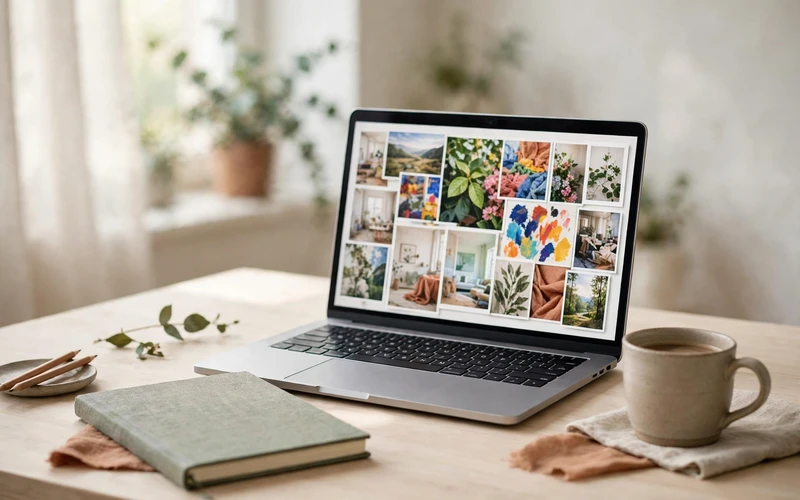
Pinterest is often treated as just another social media app, but for bloggers it works very differently. Pinterest is a visual search engine. People search for ideas, save them for later, and click through to the blog post, recipe, or tutorial that answers their question. A good pin can keep appearing in search results for months, long after a social media post would have disappeared from a feed.
That long life is why Pinterest can be a useful source of free blog traffic for beginners. You do not need a large following to start, because Pinterest shows pins based on keywords, relevance, and quality, not only on follower count. You do need a clear system, though: the right boards, keyword-focused titles and descriptions, clickable pin designs, and links that go to the exact article a pin promises.
This guide explains how to grow on Pinterest and get blog traffic in 2026, step by step, without shortcuts, spam, or income promises. Traffic usually builds gradually, and results vary by niche, content quality, and consistency.
Why Pinterest Is a Search Engine, Not Just Social Media
On most social platforms, a post is seen for a few hours and then buried. On Pinterest, a user searches for something like “easy dinner ideas” or “how to start a blog,” and Pinterest shows pins that match that search. The user may save the pin, click it weeks later, or find it again through a related search.
That difference changes how you should create content:
- Search first, trends second. Use the words people actually search for, not just clever phrases.
- Save value matters. A saved pin is a signal that it was useful, and saved pins can keep circulating.
- The click is the goal. Impressions alone do not grow a blog. A pin earns traffic only when someone clicks through to your article.
- Evergreen content wins. Helpful, timeless posts — how-to guides, beginner tutorials, and idea lists — tend to perform better over time than trend-only content.
Think of Pinterest as a bridge. The pin is the signpost, and your blog post is the destination. Both need to be good for the bridge to work.
Start With a Business Account
A Pinterest business account is free and gives you access to analytics, which you will need to see what is working. It also lets you claim your website, which shows your profile picture on pins from your blog and helps Pinterest connect your pins to your site.
Use the same name as your blog where possible, add your blog link to your profile, and write a short bio that says clearly what your blog is about. A vague bio does not help Pinterest, or a visitor, understand your content.
Create Boards Around Your Blog Topics
Boards are like folders for your pins. Each board should cover one clear topic from your blog, not a mix of everything. For a blogging blog, useful boards might include blogging tips, SEO for beginners, make money blogging, side hustles, and freelancing. The exact topics depend on your blog, but the rule is the same: one topic per board, with a clear title and description.

Do Keyword Research on Pinterest
Pinterest SEO starts with keywords — the words people type into Pinterest search. You do not need expensive tools to start. Pinterest itself shows you what people search for.
Try these free methods:
- Search bar suggestions. Start typing a topic into the search bar and note the phrases Pinterest suggests. Those suggestions reflect real searches.
- Related searches. After a search, look at related terms and other pins on the topic, and note the words that appear again and again.
- Your own analytics. Once you have pins live, check which search terms and pins bring impressions and clicks, and create more content around those topics.
- Your blog’s topics. List the main topics of each post, then find the Pinterest-friendly version of each phrase — the way a user would search for it.
Choose one main keyword phrase per pin. Trying to target ten phrases in one pin usually makes the title and description confusing. One clear phrase, used naturally in the title, description, and board, helps Pinterest understand what the pin is about.
Design Clickable Vertical Pins
Pinterest pins are vertical, and the recommended size is 1000 by 1500 pixels, a 2:3 ratio. A pin that is too small, too wide, or hard to read on a phone is easy to scroll past.
A clickable pin usually has a clear, short headline that says what the reader gets, a bright and relevant image that matches the article, large bold text that can be read on a phone, and a consistent style across your pins so readers start to recognise your content.
Write Titles and Descriptions That Rank
Your pin title and description are where Pinterest SEO happens. They tell Pinterest what the pin is about, and they tell the reader why they should click.
A good pin title includes the main keyword phrase near the start, states a clear benefit, and is short enough to read at a glance. A good description uses the main keyword naturally in the first sentence or two, explains in two to three sentences what the reader will find in the article, and ends with a gentle call to action, such as “Click to read the full guide.” A small number of relevant hashtags is enough.
Avoid keyword stuffing — repeating the same word many times, or adding a long block of unrelated hashtags. Pinterest treats that as spam, and it makes your description hard for a real person to read. Write for a person first, and include the keyword naturally.
Link Every Pin to the Exact Article
This is one of the most common beginner mistakes, and one of the easiest to fix. Every pin must link to the specific article it describes, not to your homepage.
If a pin promises “15 DIY jewelry ideas,” it should open that jewelry article, not a homepage where the reader has to search for it. A mismatched link frustrates readers, wastes a click, and makes it less likely that Pinterest will keep showing that pin.
Before scheduling a pin, check that the destination URL is the exact article URL, the article is live and loads correctly, and the article matches the pin’s headline and image.
Schedule Consistently, Not in Bursts
Consistency beats volume on Pinterest. Publishing many pins in one day and then nothing for weeks is less effective than a steady rhythm you can maintain. A realistic beginner routine is a few fresh pins each week, spread across your main boards.
Here is a simple weekly routine you can adapt:
| Day | Task | Time Needed |
|---|---|---|
| Monday | Keyword research and topic planning | 30 minutes |
| Tuesday | Design 3 to 5 fresh pins | 60 minutes |
| Wednesday | Write titles and descriptions, schedule pins | 30 minutes |
| Thursday | Improve one blog post that gets Pinterest traffic | 30 minutes |
| Friday | Check analytics, note top pins, plan next week | 20 minutes |
Read Analytics: Impressions Are Not Clicks
Two numbers matter most for blog traffic. Impressions show how many times your pin was shown, which tells you whether Pinterest is showing it in search or feeds. Outbound clicks show how many times someone clicked through to your website — the number that actually brings blog traffic.
A pin with many impressions but few clicks may have a weak headline, a confusing image, or a mismatch between the pin and the article. A pin with fewer impressions but a good click rate may have a clearer promise and a better match to what searchers wanted.

Turn Pinterest Traffic Into Income
Pinterest does not pay you for views. The money, if any, comes from what happens after someone clicks through to your page. That is an important distinction, and it protects you from hype about fast Pinterest income.
Common ways Pinterest traffic can lead to income, once a blog has useful content and real visitors, include display ads, which grow with page views over time; affiliate links, with clear disclosure that you earn a commission; digital products, such as planners, templates, or guides; and email signups, so you can share new posts later without relying only on Pinterest.
None of these are guaranteed, and none happen quickly from a handful of pins. Focus first on helpful posts and steady traffic. Income, if it comes, follows traffic and trust, not the other way around. Be sceptical of fast-money promises, and never buy pins, use tools that ask for your Pinterest password, or copy other people’s pins.
Mistakes Beginners Should Avoid
- Duplicate pins: posting the exact same pin, title, and description many times. Create fresh pins instead.
- Keyword stuffing: repeating the same keyword many times or adding long hashtag blocks.
- Linking to the homepage: sending every pin to your homepage instead of the exact article.
- Clickbait headlines: promising something the article does not deliver.
- Too many boards, too few pins: dozens of empty boards instead of a smaller number of active ones.
- Inconsistent publishing: pinning in bursts, then disappearing for weeks.
- Ignoring analytics: creating pins without checking which ones bring clicks.
- Copying other creators: using someone else’s images, titles, or designs.
A Realistic Timeline
Pinterest traffic usually builds slowly, and that is why many beginners quit too early. A realistic outline, not a promise, looks like this:
- Weeks 1 to 4: set up your business account, create boards, publish your first fresh pins, and learn the basics of titles and design.
- Months 2 to 3: publish steadily, improve your best-performing pins, and start to see which topics bring impressions and clicks.
- Months 4 to 6: with consistent publishing, some pins may start to bring regular clicks, and you can double down on the topics and designs that work.
- After 6 months: pins from earlier months can still bring traffic, because Pinterest content has a long life, but results still depend on niche, content quality, and consistency.
Frequently Asked Questions
1. How long does it take to get blog traffic from Pinterest?
Often a few months, not a few days. Pins build impressions and clicks gradually, as they gain saves and appear in more searches.
2. Do I need a lot of followers to get Pinterest traffic?
No. Pinterest shows pins based on keywords, relevance, and quality, not only on follower count. Small, new blogs can get clicks if their pins match what people search for.
3. How many pins should I create for each blog post?
Start with a few fresh pins per important post, each with a different image, headline, and angle, rather than many exact duplicates.
4. What size should Pinterest pins be?
Use a vertical 2:3 ratio, commonly 1000 by 1500 pixels, with large, readable text that works on a phone screen.
5. Should I use hashtags on Pinterest?
A small number of relevant hashtags can help, but long hashtag blocks and keyword stuffing should be avoided. Put the main keyword naturally in the title and description first.
6. Why do my pins get impressions but no clicks?
The pin may be shown, but the headline, image, or promise may not be clear enough to earn a click, or the article may not match what the searcher expected. Try a clearer headline and a more relevant image.
7. Can I pin the same article to different boards?
Yes, if the boards are relevant, but use fresh pins with different titles and descriptions for different boards, rather than the exact same pin repeated everywhere.
8. Is Pinterest good for every blog niche?
Pinterest works best for visual, idea-driven niches, such as food, home, crafts, blogging, and lifestyle topics, where people search for ideas and inspiration. Other niches can still benefit, but results vary.
Conclusion
Growing on Pinterest and getting blog traffic in 2026 is not about tricks, bought pins, or a single viral post. It is about treating Pinterest as a search engine: clear boards, keyword-focused titles and descriptions, clickable vertical pins, links to the exact article, steady scheduling, and regular analytics review.
Start small. Set up a business account, create boards around your blog topics, research keywords with Pinterest search itself, and publish a few fresh pins each week for your best posts. Review what brings outbound clicks, not just impressions, and create more of what works.
Traffic may take months to build, but pins have a long life. A helpful pin created today can still bring readers to your blog long after it was published, and that steady, compounding traffic is what makes Pinterest worth the effort for beginners.






- Be Respectful
- Stay Relevant
- Stay Positive
- True Feedback
- Encourage Discussion
- Avoid Spamming
- No Fake News
- Don't Copy-Paste
- No Personal Attacks
- Be Respectful
- Stay Relevant
- Stay Positive
- True Feedback
- Encourage Discussion
- Avoid Spamming
- No Fake News
- Don't Copy-Paste
- No Personal Attacks
