How to Sell on Facebook Marketplace for Beginners in 2026
Published: 7 Nov 2026
Do you have old furniture, clothes, books, or a phone sitting in a drawer? You can turn those things into cash with Facebook Marketplace. It is a free place inside Facebook where local buyers look for used items every day. You do not need a shop, a website, or a lot of money to start. You only need a Facebook account, a phone with a camera, and a little time.
This guide is for local, used-item selling only, not ads or Facebook pages. Here you will learn what sells, how to take good photos, how to price fairly, and how to meet safely.
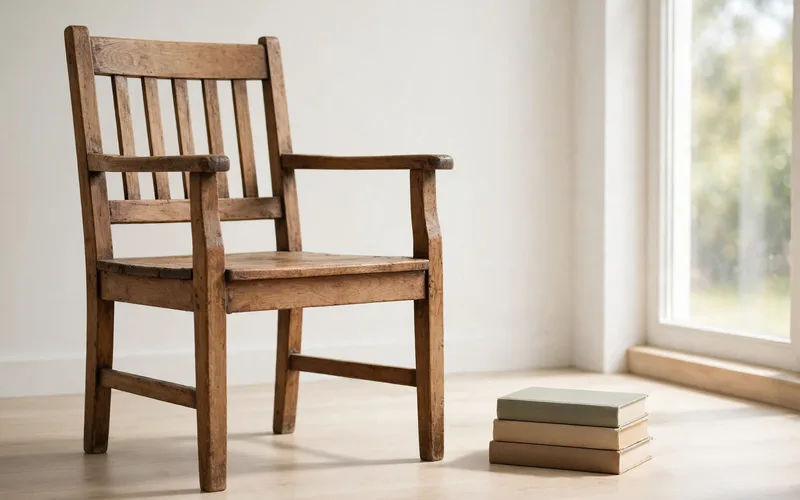
What Is Facebook Marketplace?
Facebook Marketplace is a buy-and-sell section inside Facebook. Buyers search by item, price, and location. They can see your listing, send you a message, and arrange to pick up the item. Most local sales are free to list, and there is no fee for a local pickup sale in most places.
It works best for used items buyers want close to home. Big items like sofas and bikes sell well, because buyers do not want to pay for long shipping. Small items like phones and baby items also sell well if they are clean and working.
What Sells Well on Marketplace?
Not every item sells at the same speed. Useful items in good shape sell best: a clean chair sells faster than a broken one, and a working phone sells faster than one with a cracked screen, unless the price is very low and the damage is clear.
Items that often sell well include furniture, electronics, baby items in good shape, branded clothes, lamps, and bikes. Seasonal items matter too: fans sell better in warm months, heaters and coats in cold months. If you need cash now, price a little lower.
What You Cannot Sell on Marketplace
Facebook has rules about what you can list. If you break them, Facebook can remove your listing or block your access to Marketplace. Always check the current rules in the Facebook app before you list an item you are unsure about, because the rules can change.
You cannot list weapons, animals, alcohol, tobacco, drugs, or medicines, or gift cards, event tickets, services, or digital goods. You cannot list fake products or items that are not for sale, such as “in search of” posts. If an item is recalled, unsafe, or illegal in your area, do not list it.
Set Up Your Profile Before You List
Buyers trust sellers who look real. Use your real name and a clear profile photo, and add a few details, such as your city. A profile with no photo and no history gets fewer replies.
You do not need to share private details. Do not put your home address, phone number, or full schedule on your profile. Share only what a buyer needs to trust you and to meet you in a safe place. Also turn on message alerts on your phone. Fast replies win sales, because many buyers message two or three sellers at the same time.
Find Items to Sell at Home First
You do not need to buy stock. Walk through your home and look in closets, drawers, and the garage. Many people find five to ten items they no longer use, and any sale of those is profit.
Ask three questions about each item. Is it clean and working? Would I buy it if I saw it online? Can I describe it in one short sentence? If the answer is yes to all three, list it. Clean each item before you photograph it. Wipe dust off furniture, wash clothes, and charge and test electronics. A clean item looks worth more, and it builds trust.
Take Photos That Sell
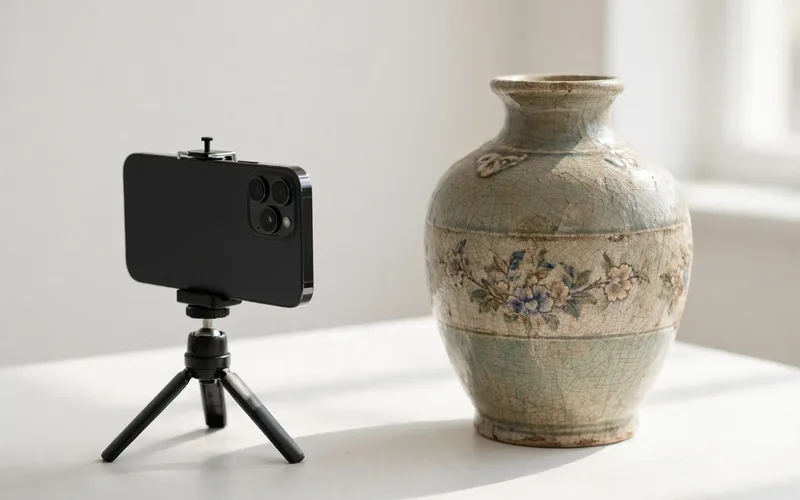
Photos are the first thing buyers see. Good photos can double your messages, and a phone camera with natural light is enough. Take at least five photos: front, back, both sides, and a close-up of the best feature. If the item has a fault, show that too.
Take photos in daylight with a plain, clean background, fill the frame with the item, and do not use filters that change the color. Facebook lets you add up to 10 photos. Use most of them for big items. Do not reuse a photo from the internet.
Write a Title and Description That Buyers Can Find
Your title helps buyers find your item. Use the words a buyer would type: brand, item type, size or model, color, and condition. For example, “IKEA Wooden Dining Chair – Brown – Good Condition” is better than “Chair for sale.” Keep it under 100 characters, and do not use ALL CAPS.
Your description should answer the questions a buyer will ask. Start with the key facts: brand, model, size, color, and condition. Then add how it works, what is included, and the pickup details, such as “Pickup only.” Be honest about faults, and add measurements for furniture or the model and storage for electronics.
How to Price Your Item
If the price is too high, no one messages you. If it is too low, you lose money. The best way to price is to look at similar items like yours. Search Marketplace for the same item, brand, and condition. Note the prices of three to five similar listings. Your price should sit in that range.
For a fast sale, price 10 to 20 percent below the average for similar items. If you can wait, price near the average, and leave a little room to negotiate. Do not price from what you paid years ago; a buyer cares about what the item is worth now.
| Item type | Typical used price range (illustrative only) | Best pricing tip |
|---|---|---|
| Wooden chair | Low to mid range | Price below new chairs; show the wood condition |
| Smartphone (older model) | Mid range | List the model, storage, and battery health |
| Baby stroller | Mid range | Clean it well; note the brand and age |
| Winter jacket (branded) | Low to mid range | List size and brand; sell in cold months |
| Bicycle | Mid to high range | Note the frame size and any repairs |
The table above shows illustrative ranges only, not fixed prices. Real prices change by city, brand, and condition. Always check similar listings in your own area before you set your final price.

Create Your First Listing, Step by Step
Creating a listing takes only a few minutes. Open Facebook and tap the Marketplace icon, which looks like a small shopfront. Tap “Create new listing” and choose “Item for Sale.” Then add at least five clear photos in daylight.
After that, write your title with brand, item, size, color, and condition. Set your price, and add a short description with measurements and faults. Choose the category, such as Furniture, Electronics, or Clothing. Set your location, and choose “Pickup only” or add a delivery option if it is offered in your area. Check everything once, then tap Publish. You can edit the price, photos, or description at any time.
Talk to Buyers and Handle Offers
Good messages sell items. Reply fast, be polite, and give clear answers. If a buyer asks “Is this still available?” reply yes and ask when they can pick it up. Many buyers will offer a lower price; that is normal.
Decide your lowest price before you start talking. If the offer is close to your lowest price, you can accept it or meet in the middle. If the offer is far too low, say no in a polite way. If a buyer asks many questions but never picks a time, move on to the next buyer. Keep your messages short and focused on the pickup. Do not share your home address until you have agreed on a time and you feel safe.
Meet Safely and Get Paid
Safety comes first. Meet in a public place in daylight if you can, such as a busy cafe or a mall entrance. Bring a friend if the item is large or costly, and tell someone where you are going.
For local pickup, cash is simple and common. Count the cash before you hand over the item. If the buyer wants to pay by app, check that the payment has arrived before you hand over the item. Do not accept checks from strangers. Do not send the item before you have been paid. If you meet at your home, meet outside or in a garage, not deep inside your house. Keep the meeting short and clear.

Shipping and Fees: What to Know
Most beginners should start with local pickup only. It is free in most places, it is simple, and you get paid at once, with no packing or shipping problems. In some areas, Facebook offers shipping for smaller items; read the fee in the app before you publish.
In the United States, shipped orders are widely reported to carry a fee of about 10 percent, with a small minimum fee, but fees can change, so check the exact fee in the app. In some countries, Marketplace is local pickup only, with no seller fee. If you ship, pack well and keep the tracking number.
Avoid Scams on Marketplace
Most buyers are honest, but scams do exist. A common scam is a buyer who asks you to pay first, send a code, or move the chat to another app. Never share a login code, a password, or a bank code with anyone.
Watch for these signs: a buyer offers far more than your price and asks you to ship fast; asks you to pay for shipping first; sends a fake payment screenshot; or asks for bank details or a code to “verify” you. If you see one, stop the chat and report the buyer.
Mistakes to Avoid
- Listing an item with only one dark, blurry photo.
- Writing a vague title like “Stuff for sale” with no brand, size, or condition.
- Pricing from what you paid years ago instead of checking similar listings.
- Hiding faults in the description and surprising the buyer at pickup.
- Sharing your home address or bank details with a stranger too early.
- Meeting a stranger alone at night in a quiet place.
- Sending an item before the payment has arrived.
- Ignoring messages for a day and losing the buyer to a faster seller.
Conclusion
Selling on Facebook Marketplace is a simple way to turn unused items into cash. Start with what you already own. Take clear photos in daylight. Write a title that buyers can search for. Price from similar listings in your area. Reply fast, meet in a safe public place, and get paid before you hand over the item. List one item today, learn from the messages you get, and make the next listing a little better.
FAQs
Is selling on Facebook Marketplace free?
In most places, listing and selling for local pickup is free. If you use shipping where it is offered, Facebook may charge a fee. Check the fee in the app before you publish.
Do I need a business account to sell on Marketplace?
No. A normal personal Facebook account is enough. You only need a real profile with a clear photo and some history. You do not need a shop or a business name.
What is the best time to list an item?
Evenings and weekends often bring more views. List when you have time to reply fast in the next few hours. A fast reply matters more than the exact hour.
How many photos should I add to a listing?
Add at least five clear photos: front, back, sides, and a close-up. Facebook lets you add up to 10 photos. Use more photos for large or costly items.
Can I sell on Marketplace if I am new to Facebook?
Yes, but a new profile with no photo may get fewer replies. Add a clear photo, fill in basic details, and start with a low-priced item.
What should I do if a buyer does not show up?
Send one polite message asking if they are still coming. If they do not reply, move on to the next buyer. Do not hold an item for someone who keeps missing meetings.
Is it safe to meet a buyer at my home?
It is safer to meet in a public place in daylight. If you must meet at home, meet outside or in a garage, with another person with you.
How do I get paid on Marketplace?
For local pickup, cash is simple. Count it before you hand over the item. If the buyer pays by app, check that the payment arrived first. Do not accept checks from strangers.






- Be Respectful
- Stay Relevant
- Stay Positive
- True Feedback
- Encourage Discussion
- Avoid Spamming
- No Fake News
- Don't Copy-Paste
- No Personal Attacks
- Be Respectful
- Stay Relevant
- Stay Positive
- True Feedback
- Encourage Discussion
- Avoid Spamming
- No Fake News
- Don't Copy-Paste
- No Personal Attacks
