How to Create and Sell Notion Templates for Beginners
Published: 5 Nov 2026
If you enjoy organising your work, study, or daily life in Notion, you may already have a skill that other people want to buy. A Notion template is a ready-made workspace that someone can copy into their own Notion account and start using straight away. Instead of building pages, databases, and views from scratch, the buyer gets a clear structure that saves time and reduces confusion.
Selling templates is not about knowing every Notion feature. It is about solving one small, specific problem well. A student who needs a revision planner, a freelancer who needs a client tracker, or a blogger who needs a content calendar all want a system that is easy to understand on the first day. This guide shows you how to create, test, and sell that kind of template honestly.

What Is a Notion Template?
A Notion template is a pre-built set of pages, databases, and layouts that can be duplicated. When a buyer opens the shared link, they can copy the whole workspace into their own account. After that, the content belongs to them, and they can change it, add their own entries, or delete anything they do not need.
Templates work best when they focus on one job. A template that tries to be a life planner, a business dashboard, a fitness tracker, and a study system at the same time often feels overwhelming. A template that does one job clearly — for example, tracking weekly tasks — is much easier to explain, test, and support.
Think of a template as a product, not just a personal workspace. A buyer has no context, so every page needs a clear title, short instructions, and a logical order. If a buyer has to guess where to start, the template is not ready yet.
Good Template Ideas for Beginners
You do not need to invent something completely new. Some of the most useful templates are simple systems for everyday problems. A habit tracker, a budget planner, a reading list, a meal planner, a job application tracker, and a study planner are all good starting points because the buyer already understands the problem.
Other ideas include a content calendar, a client tracker, a project tracker, a travel planner, and a goal tracker. Choose an idea you have actually used yourself, so you can explain the workflow from real experience. Avoid a large, complex system for your first template: a small template that works smoothly is more valuable than a huge one full of empty pages.
Choose One Niche and One Buyer
Before you build anything, write down who the template is for and what problem it solves. For example, instead of “a planner for everyone,” choose “a weekly planner for university students” or “a simple client tracker for new freelancers.” A narrow focus makes every later decision easier, from the page names to the sales page description.
Think about the buyer’s routine: what should they see first, what will they enter most often, and what goes wrong in their current system? Also look at free templates and marketplaces to learn what buyers expect. Do not copy anyone’s work — your structure, wording, and examples should always be original.
Design for Clarity, Not Decoration
A good template looks calm and easy to follow. Use clear page titles, short headings, and consistent layouts. Keep the number of colours and icons limited so the workspace does not feel noisy. Most buyers prefer a clean design they can customise over a heavily decorated design that is hard to change.
Every page should answer: what is this page for, and what should I do here? Add one short instruction at the top of important pages. For navigation, put the most important pages first, group related pages together, and link the guide clearly from the home page.
Build Your Template Step by Step
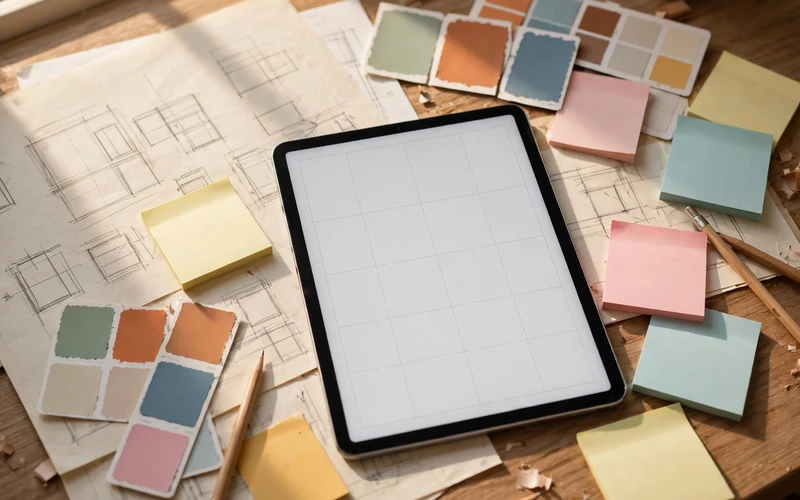
Start with a rough plan on paper or in a simple document. List the pages you need, the main database, and the views that will help the buyer most. For a task tracker, for example, you might need a home page, a task database, a view for today, a view for this week, and a short guide. Planning first prevents you from adding pages that look useful but never get used.
Next, build the core database carefully. Choose only the properties the buyer truly needs, such as task name, status, due date, and priority, and use clear labels like “To do,” “In progress,” and “Done.” Then create two or three views that match real use — for example, a calendar for deadlines, a board for progress, and a list for daily focus. Add a few realistic example entries, label them clearly, explain how to delete them, and check the template on mobile as well as desktop.
Test Before You Sell
Testing is where many beginner sellers save themselves from avoidable problems. Ask a friend, or test the template yourself as if you were a new buyer. Duplicate the template into a fresh account, follow only the instructions inside it, and try to complete a normal task without using your own knowledge of how it was built.
Check every link, filter, and view, and remove test data, personal notes, and links to private pages. Also check whether the template depends on a paid feature, and state that requirement on the sales page if it does. Answer likely buyer questions — how to duplicate it, delete examples, or change colours — in a short guide page inside the template.
Pricing Your First Template
Pricing can feel difficult at first, but it does not need to be complicated. A simple template with one clear job is usually easier to price than a large system with many features. Consider the time you spent building and testing it, the value of the problem it solves, and what similar simple templates charge. Then choose a price that feels fair for a beginner product and easy for a buyer to accept.
Many beginners start with a free or low-priced template to learn how buyers respond and collect feedback. A paid version should offer a complete, polished system, and if you offer both, make the difference clear. The table below is illustrative only — it shows example price ranges for planning, not a promise of sales or income.
| Template type | Illustrative example price range | Best for beginners |
|---|---|---|
| Simple tracker or planner | Low-priced single template | A first product with one clear job |
| Complete starter system | Mid-priced single template | A polished template with guides and views |
| Template bundle | Higher-priced bundle | Several related templates sold together |
Check platform and payment fees before you set a final price, and be clear about what the buyer receives — usually a duplication link, not a subscription or coaching service, unless you state that separately.
Where to Sell Notion Templates
There are several places where beginners sell templates, including digital product marketplaces, creator platforms, and their own websites. A marketplace can help buyers discover your product, while your own website gives you more control over the page and the price. Many sellers start on a marketplace and later add their own site once they understand what buyers want.
When you choose a platform, check how duplication links, delivery, and refunds work, and pick the option that keeps buying simple: pay, receive a clear link, duplicate. Your sales page should list exactly what is included, who it is for, and any requirements, using screenshots of your own template rather than stock images or copied designs.
Write a Clear and Honest Listing
A good listing answers the buyer’s questions before they ask them. Start with a clear title that names the problem and the user, such as a weekly planner for students or a client tracker for freelancers. Avoid vague titles that could describe almost any template.
In the description, explain the problem, what is inside, and how the buyer will use it each day, plus a short “how it works” sequence: buy, receive the link, duplicate, delete the examples. Also be honest about what the template does not include — automation, coaching, or lifetime updates — because clear limits prevent disappointment and refund requests.
Promote Without Spamming
You do not need a large audience to start, but you do need a clear way for the right people to find your template. Sharing a helpful tip, a short tutorial, or a simple example from your own workflow can work better than repeatedly posting a sales link. For example, a short blog post about planning a week in Notion can naturally mention your planner template at the end.
Pinterest, blogging, short videos, and community posts can help, but stay useful first: show a real problem, explain a simple solution, then mention the template as a shortcut. Never promise results or income. Feedback is also promotion — fixing what confused early buyers makes a template easier to recommend.
Support, Updates, and Fair Use
After a sale, a buyer may ask a simple question or report a broken link. Respond politely and promptly, and keep your answers short and practical. Most questions can be solved with a clear explanation or a screenshot of your own template. If a buyer cannot duplicate the template, check the sharing settings first, because that is a common cause of access problems.
Handle updates carefully: share a new link when your platform allows it, or explain how buyers can copy a new feature into their existing workspace, and do not promise unlimited updates. Respect other creators too — never copy or resell another seller’s work unless the licence clearly allows it, and check permission before including outside icons or images.
Common Beginner Mistakes to Avoid
One common mistake is building too much at once: many databases and complex formulas can confuse a buyer who wanted a simple tracker, so start small and add features only when they solve a real problem. Another is skipping the guide page — a few sentences showing where to add a first entry and how to remove examples can prevent many support messages. A third is unclear naming: use plain, consistent names in the template, guide, and sales page.
Final Thoughts
Creating and selling Notion templates is a practical way to turn an organising skill into a small digital product. You do not need advanced coding skills or a large audience to begin. You need one clear problem, a simple and well-tested template, an honest listing, and a willingness to improve based on feedback.
Start with a template you would enjoy using yourself, test it as a new buyer would, price it fairly, and learn from buyer questions. Those small lessons will help you create better templates over time.
Frequently Asked Questions
Do I need to be a Notion expert to sell templates?
No. You need to understand the features you use in your own template and be able to explain them clearly. A simple, well-tested template is often more useful than a complex one built with features you cannot support.
Do buyers need a paid Notion account to use my template?
In most cases, a free Notion account is enough for a simple template, but this depends on the features you use. Check your template’s requirements and state them clearly on the sales page so buyers are not surprised after purchase.
How do buyers receive a Notion template?
Usually, the buyer receives a duplication link after payment. They open the link, duplicate the template into their own Notion account, and then use their own copy. Make sure your sharing settings allow duplication before you publish the listing.
Can I sell the same template on more than one platform?
Yes, if the platform rules allow it and you manage your listings carefully. Keep the price, description, and version consistent across platforms, and update every listing when you make an important change.
What should I include in the template guide?
Include a short start-here page with how to duplicate the template, how to delete example entries, where to add new items, and how to customise the layout. Keep it brief and focused on the first steps a buyer needs.
How do I protect my template from being copied?
You cannot fully prevent copying of a digital product, but you can use original wording, design, and examples, and choose a platform with clear terms. Focus on building a trusted product and offering helpful support, which are harder to copy than a page layout.
Should my first template be free or paid?
Either option can work. A free template can help you learn and collect feedback, while a low-priced paid template can test whether buyers value the system. Choose the option that matches your goal and be clear about what the buyer receives.
How long does it take to create a first template?
It depends on the scope, but a simple, well-tested template can often be built in a few focused sessions. Planning, building, testing, and writing the guide all take time, so avoid rushing the testing stage just to publish faster.






- Be Respectful
- Stay Relevant
- Stay Positive
- True Feedback
- Encourage Discussion
- Avoid Spamming
- No Fake News
- Don't Copy-Paste
- No Personal Attacks
- Be Respectful
- Stay Relevant
- Stay Positive
- True Feedback
- Encourage Discussion
- Avoid Spamming
- No Fake News
- Don't Copy-Paste
- No Personal Attacks
