How to Make Money as a Video Editor for Beginners
Published: 7 Nov 2026
Video is everywhere now. YouTubers, small businesses, coaches, and brands all need videos, and most of them do not have time to edit those videos themselves. That is where a beginner video editor can help. You do not need a degree or expensive gear to start. You need a basic skill, a few sample videos, and a simple plan to find your first client.
This guide shows you how to make money as a video editor as a complete beginner. You will learn what video editors do, which tools to learn, how to practise, how to build a portfolio, how to find clients, and how to price your work. You will also learn the mistakes that slow new editors down.
What Does a Video Editor Do?
A video editor takes raw video clips and turns them into a finished video that is clear, smooth, and fun to watch. The work starts with cutting out mistakes, long pauses, and dull parts. Then the editor puts the best clips in the right order so the story flows well.
Good editing is more than cutting. Editors add music, sound effects, text on screen, and smooth transitions. They fix the colour and the sound so the video looks and feels professional. For a YouTube video, an editor may also add a short intro, captions, and an end screen. For a short social media video, the editor may cut a long video into a fast, vertical clip with bold text.
Which Editing Tools Should You Learn?
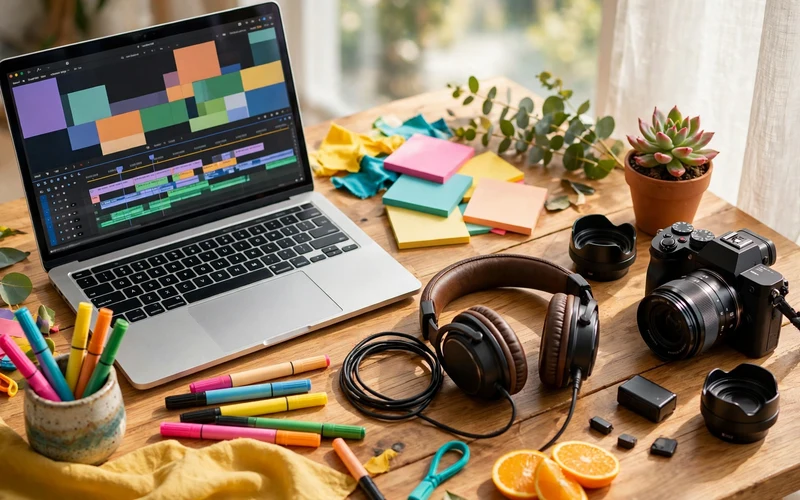
You do not need the most expensive software to start. You need one tool you can learn well. Pick one, stick with it for a few weeks, and learn the basics before you try another tool.
DaVinci Resolve is a strong free choice. It is a professional tool, and the free version is enough for most beginner work. It is good for cutting, colour work, and sound. CapCut is another good free choice, and it is very easy to learn. It is best for short videos for TikTok, Instagram, and YouTube Shorts. Adobe Premiere Pro is the industry standard in many studios, but it needs a monthly payment. Final Cut Pro is popular with Mac users, but it costs money and only works on a Mac.
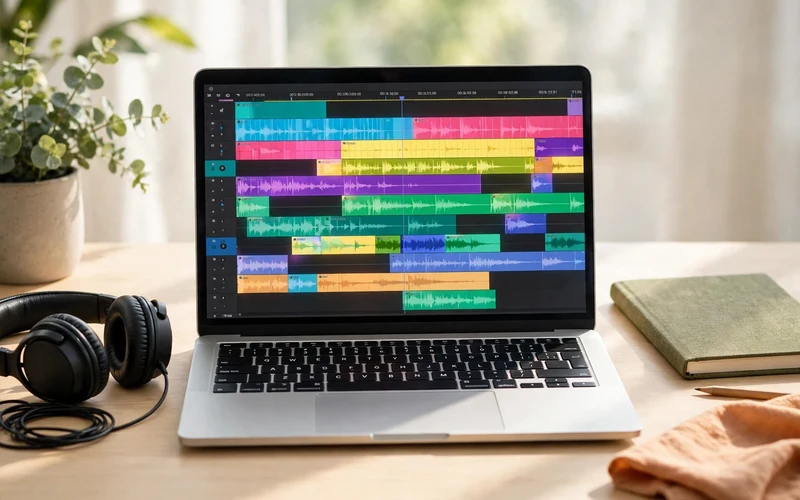
Start with DaVinci Resolve if you want to edit longer YouTube videos, or CapCut if you want to edit short social media videos. Learn the core skills first: how to cut clips, move them on the timeline, add transitions, adjust sound levels, add text, and export the final video. These skills work in almost every editing tool.
Learn the Basics in a Few Weeks
You can learn the basics of video editing in a few weeks if you practise a little every day. Do not try to learn everything at once. Learn one skill, practise it, then move to the next.
Start with a free tutorial series on YouTube. Search for a beginner series for the tool you chose, and follow it from start to finish. Do not just watch. Open the software and copy each step with your own clips. Watching without doing will not teach your hands the work.
Practise with free footage. You can download free clips from sites that offer free stock video, or record short videos with your phone. Edit a one-minute video about your day, a hobby, or a local place. Cut out the dull parts, add music, and add a few text titles. Then export it and watch it on your phone. Ask yourself: Is it clear? Is it smooth? Would a stranger watch it to the end?
Build a Portfolio With Sample Work
Clients will not hire you because you say you can edit. They will hire you because they have seen your work. That is why a portfolio matters, even before your first paid job. You can build one with sample videos you make yourself.
Make three strong sample videos. Pick a clear type for each one. For example, make one YouTube-style video, one short vertical video for social media, and one simple business advert. Each video should be short, clean, and show a different skill: cutting, captions, music, or colour work. Quality matters more than length. Three good one-minute videos are better than ten messy ones.
Put your videos where clients can see them easily. A simple page on Behance, a YouTube playlist, or a free portfolio site is enough. Add a short note under each video that says what you did: “Cut a 20-minute talk into a 3-minute highlight, added captions and music.” That helps a client understand your skill fast.
How to Find Your First Clients
Finding clients is the part most beginners fear, but it is simpler than it looks. Start where clients already look for editors, and reach out to people who already need help.
Freelance sites are a good start. Create a profile on Fiverr and Upwork with your best sample videos, a clear title, and a simple description of what you offer. On Fiverr, make one clear service, such as “I will edit your YouTube video with captions and music.” On Upwork, apply only to jobs that fit your skill, and write a short, personal note for each one. Mention one thing you noticed about the client’s videos, and link to your best sample.
Reach out to creators directly. Many small YouTubers and business owners need an editor but have never hired one. Watch their videos, find one thing you can improve, and send a short, polite message. Say who you are, what you can do, and link to one sample. Do not send the same long message to everyone. A short, personal message works better than a long, generic one.
How to Price Your Work
Pricing is hard at first because you have no past jobs to guide you. Start simple, be honest about your level, and raise your prices as you gain skill and reviews. You can charge per video, per hour, or per project. For beginners, charging per video is often the clearest choice. The client knows the cost before you start, and you know what you will earn.
Your price should reflect the length and the work involved. A short, simple video with basic cuts costs less than a long video with captions, music, colour work, and many changes. Before you quote a price, ask the client how long the raw video is, what style they want, and when they need it. Then give a clear price and say what is included: the number of changes, the length, and the delivery time.
Deliver Good Work and Keep Clients Happy
Getting a client is only the first step. Keeping them is what builds a steady income. Good editors deliver on time, communicate clearly, and fix small problems fast.
Before you start, ask the client for everything you need: the raw clips, the logo, the music they like, and examples of videos they enjoy. Ask how they want the video to feel: fun, calm, or professional. A short list of questions at the start can save hours of changes later.
Happy clients come back. If a YouTuber likes your work, they may need a new video every week. That regular work is more valuable than many one-time jobs. Do good work, meet your deadlines, and stay in touch after the job is done.
Ways to Earn More as a Video Editor
Once you have a few clients, you can earn more in several ways. You do not need to try them all at once. Pick the one that fits your skills and your clients.
Editing for YouTubers is one of the most common paths. Many creators post every week and need a regular editor. If you do good work for one creator, ask if they know other creators who need help. Short-form editing is another growing path. Businesses and creators need short clips for TikTok, Instagram, and YouTube Shorts, and they often need many of them each month.
Video Editing Tools and Income Paths at a Glance
| Item | What It Means for Beginners |
|---|---|
| DaVinci Resolve | Free, professional tool; good for YouTube videos, colour work, and sound |
| CapCut | Free and easy to learn; best for short videos for TikTok and Instagram |
| Premiere Pro | Industry standard in many studios; needs a monthly payment |
| Final Cut Pro | Popular with Mac users; one-time cost and Mac only |
| Freelance editing | Edit videos for clients on Fiverr, Upwork, or by direct contact |
| Short-form editing | Cut long videos into short clips for TikTok, Instagram, and Shorts |
| Stock video | Edit and sell short clips on stock sites for extra income |
Common Mistakes to Avoid
- Trying to learn every tool at once: Pick one tool, learn it well, and finish samples before you try another.
- Skipping practice and chasing clients too soon: Make three strong samples first, then look for paid jobs.
- Charging too little for too long: Low prices are fine at first, but raise them as you gain skill and reviews.
- Saying yes to every job: A job with unclear needs or a rushed deadline can cost you time and stress. Choose jobs that fit your skill.
- Ignoring sound and colour: Bad sound and dull colour make a video feel cheap. Check both before you export.
- Missing deadlines without a message: If you will be late, tell the client early and give a new date.
- Forgetting to back up files: Save often and keep a copy of raw files. A lost project can cost you a client.

Conclusion
Making money as a video editor is a real path for a beginner, but it takes practise, patience, and steady work. You do not need costly gear or a degree. You need one editing tool, a few strong samples, and a simple plan to find clients who need help.
Learn the basics, build a small portfolio, and take your first jobs with care. Deliver on time, communicate clearly, and keep improving one skill at a time. Over weeks and months, small jobs can grow into regular clients and a steady income. Start with one sample video today, and build from there.
FAQs
Do I need a degree to become a video editor?
No, you do not need a degree. Clients care about your sample videos, not your certificates. Learn one editing tool, practise with real clips, and build a small portfolio of three strong sample videos to show what you can do.
Which video editing software is best for beginners?
DaVinci Resolve and CapCut are both good free choices for beginners. DaVinci Resolve suits longer YouTube videos and colour work. CapCut suits short videos for TikTok and Instagram. Pick one, learn it well, and do not switch tools too soon.
How long does it take to learn video editing?
Most beginners can learn the basics in a few weeks if they practise a little every day. You can make simple, clean videos after a few weeks of steady practise. Becoming fast and skilled takes longer, often a few months of regular work on real projects.
How do I find my first video editing client?
Start on Fiverr and Upwork, reach out to small creators directly, and share your sample work on social media. Offer a short, clear trial edit to one small creator in exchange for feedback and permission to show the work. One good trial can lead to a paid client.
How much should I charge as a beginner video editor?
There is no single right price. Start with a low but fair price for your first few jobs, based on the length and work involved. As you gain reviews and skill, raise your price a little at a time. Always agree on the price in writing before you start.
Can I make money editing videos with just a phone?
You can learn basic editing on a phone with apps like CapCut, and you can edit short social media videos that way. For longer client work, a computer is better because it is faster and easier to manage files. A phone is a good way to start, not a long-term limit.
Do I need expensive equipment to start?
No, you do not need expensive equipment. A basic laptop that can handle 1080p editing and a pair of simple headphones is enough to start. Close other apps while you edit, save often, and upgrade your gear only when your income can pay for it.
Can video editing become a full-time income?
Yes, it can, but it takes time. Many editors start part-time with a few clients, then grow to regular weekly work. Steady income comes from repeat clients, clear pricing, and good delivery, not from one big job. Build slowly and keep improving your skill.






- Be Respectful
- Stay Relevant
- Stay Positive
- True Feedback
- Encourage Discussion
- Avoid Spamming
- No Fake News
- Don't Copy-Paste
- No Personal Attacks
- Be Respectful
- Stay Relevant
- Stay Positive
- True Feedback
- Encourage Discussion
- Avoid Spamming
- No Fake News
- Don't Copy-Paste
- No Personal Attacks
