How to Sell Digital Stickers Online for Beginners
Published: 5 Nov 2026
Do you love cute designs, planners, and journals? Then you may enjoy selling digital stickers online. A digital sticker is a picture file that a buyer can use on a tablet, phone, or computer. People use these stickers in digital planners, notes, and journals. They do not need printing or shipping. You make the file once, and you can sell it again and again.
This guide is for complete beginners. You do not need a big budget or professional art skills. You need a simple idea, a basic design tool, and a clear plan. Start small and learn from real buyers. There is no promise of fast money here.
What Are Digital Stickers?
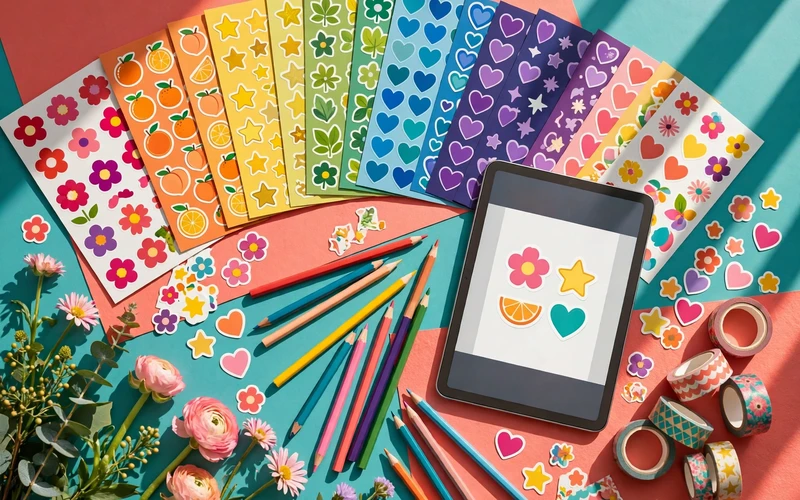
Digital stickers are image files that people add to digital planners and notebooks. Many people use apps on a tablet to plan their day, track habits, or keep a journal. They add small pictures to make the pages look nice and feel personal. A sticker can be a flower, a star, a heart, a coffee cup, a calendar box, or a short word like “to do.”
Most digital stickers come in a pack of 20, 30, or 50 stickers on one theme, such as spring, study time, fitness, travel, or Christmas. The buyer downloads the files after payment and imports them into a planning app. Some come as PNG files with a clear background.
Why Sell Digital Stickers?
First, the cost to start is low. You do not need to buy stock, pay for shipping, or store goods. Your main cost is your time and, in some cases, a design tool or a shop fee. Second, you can work at your own pace. You can make one pack in a week and more when you have free time. This fits students, parents, and people with a full-time job.
Third, you learn useful skills, such as basic design and how online shops work. Fourth, you can be creative and make stickers about things you love, such as plants, books, or food. But the market has many sellers, so you need a small niche where you can stand out.
What Do You Need to Start?
You need a computer, tablet, or phone that can run a design app. A tablet with a pen can help, but it is not a must. Many beginners start on a laptop with a free design tool. Free tools such as Canva can work for simple stickers. Procreate on iPad is popular for hand-drawn stickers. Adobe Illustrator is a strong choice for clean vector art, but it costs more and takes time to learn. Start with a tool you already know.
You also need a place to sell, such as Etsy, Gumroad, or your own website. Most shops handle payments for you, but you must set up your account with care and follow the tax and payment rules in your country. Finally, keep each pack in its own folder.
Step 1: Pick a Small Niche
Do not try to make stickers for everyone at first. Pick one small topic and do it well. A small niche helps you stand out and helps you know who your buyer is. Think about your own life. Do you plan meals, study, work out, or travel? A buyer who plans meals may want food stickers. A student may want study stickers. A busy parent may want simple weekly planner stickers.
Look at what people already buy, but do not copy them. Search on Etsy or Pinterest for sticker ideas and note the themes that appear again and again. Then ask: can I add a fresh idea to this theme? If many shops sell flower stickers, you could make flower stickers for a reading journal. Pick a theme you can make into many packs.
Step 2: Design Stickers That Look Clean and Useful
Good stickers look clean, clear, and easy to use. Simple designs often work best, because a buyer wants to see the sticker clearly on a small screen. Use clear shapes and soft colours, with thick outlines if you draw by hand. Leave some white space around each sticker, and give each sticker one clear idea. One flower is better than five flowers in one small sticker.
Many sellers make each sticker at 1000 pixels or more on the long side, so it stays sharp when a buyer makes it bigger or smaller. Save each sticker as a PNG with a clear background if you can. Test them on a sample planner page at a small size, then make a full pack of 20 to 40 stickers, with a mix of big stickers, small stickers, boxes, and labels.
Step 3: Prepare Your Files in the Right Way
Good files make a good product. A buyer should be able to download your files, open them, and use them with no stress. Name your files in a clear way, such as “spring-stickers-01.png.” Put all the files for one pack in one folder, then put that folder in a zip file if the shop asks for one file.
Check the file types. PNG is the most common type for digital stickers because it can have a clear background. Some buyers also like PDF files or files made for apps such as GoodNotes. If you offer more than one type, say so in your listing. Add a short guide on how to download them, and test the download yourself.
Step 4: Price Your Pack in a Fair Way
Pricing can feel hard at first. There is no one right price for all packs. It depends on the number of stickers, the quality, the theme, and the shop fees. Look at similar packs first, and do not copy the lowest price you see.
Read the fee rules first and work out how much you will keep after fees. The table below shows example prices for a new seller, not fixed rules.
| Pack size | Example price range | What it may include |
|---|---|---|
| 15 to 20 stickers | $2 to $4 | A small themed pack with basic stickers |
| 25 to 40 stickers | $4 to $7 | A medium pack with mixed stickers and labels |
| 50 or more stickers | $7 to $12 | A large pack with many styles and uses |
The prices in this table are illustrative only.
Start with a simple price for your first pack. Be clear and honest about what the buyer gets, and do not promise that they will make money from your stickers.
Step 5: Choose Where to Sell
Etsy is a popular choice for beginners. Many buyers go to Etsy to look for digital stickers and planners. It is easy to set up a shop, but Etsy charges fees for listings and sales, and it has many sellers, so you need clear photos and good keywords to be found.
Gumroad is another choice. It is simple to use and works well if you already have an audience on social media or a blog. You share your link, and people buy from that page. Your own website gives you more control over prices and rules, and lets you build an email list over time. But a new website needs time to get visitors. Pick one shop to start and make a few good listings.
Step 6: Make a Clear Product Listing
A good listing helps a buyer decide in a few seconds. Most buyers look at the images first, then read the title and the short description. Use a clear title that says what the product is and who it is for, such as “Spring Flower Digital Stickers for GoodNotes and Digital Planners.” Keep it easy to read and do not stuff it with keywords.
Use good preview images. Show the full pack, a few stickers close up, and the stickers on a sample planner page. The preview must show what the buyer will get. Say how many stickers are in the pack, the file types, which apps they work with, and how the buyer will get the files. Say clearly that this is a digital product and that no physical item will be sent.
Step 7: Share Your Work in a Simple Way
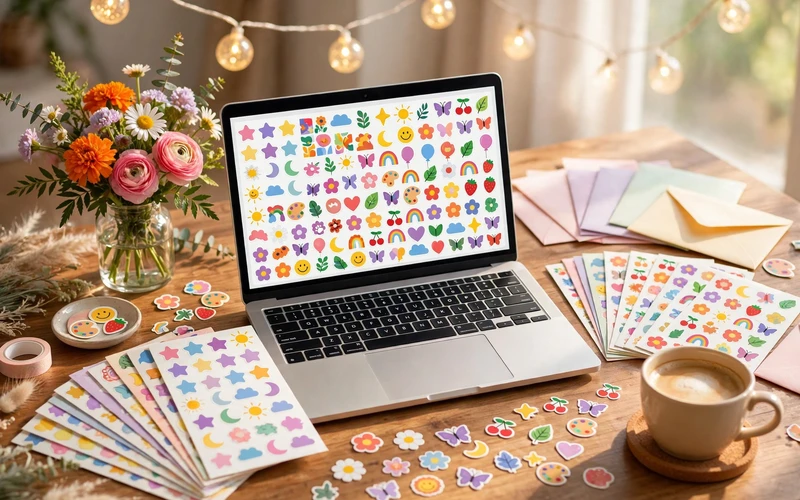
A good product still needs people to see it. You do not need to be on every social media site. Pick one or two places where your buyers spend time. Pinterest and Instagram are popular for sticker sellers. Share useful posts, not just sales posts. Show how you use the stickers in a planner, or share a short video of a sticker pack in use.
On Pinterest, show your packs clearly, link to your shop, and post a few times a week. Reply to buyers in a polite and clear way. If a buyer has a problem with a file, help them fix it. Do not spam people or make false claims about your sales or income.
Common Mistakes to Avoid
One mistake is copying other sellers. Do not take someone else’s art and sell it as your own. If you use free art or fonts, check the licence. Some free art is only for personal use. You need a licence that allows commercial use if you want to sell it. Another mistake is making the files too hard to use. Keep the file types simple, add a short guide, and test the files before you sell them.
A third mistake is using unclear preview images. Show the real stickers and colours. A fourth mistake is a price that is too low or too high without a reason. A fifth mistake is giving up too soon. Your first pack may not sell fast. That is normal.
How to Grow Your Sticker Shop Over Time
Once you have a few packs, look at which ones get the most views and sales. Make more packs in the themes that people like. This is a simple way to grow without guessing. Ask buyers politely what theme they would like next.
Make seasonal packs for Christmas, spring, back to school, and the new year. Plan these packs a few weeks before the season starts, so your listings have time to be found. Let each new pack be a little better than the last one.
Final Thoughts
Selling digital stickers online is a simple way to start a small creative business. You do not need a lot of money or expert art skills. You need a clear niche, clean designs, good files, and honest listings. You also need patience. Start with one small pack, test your files, list it on one shop, and share it in a simple way. Then make the next pack. Every seller starts with zero sales.
Frequently Asked Questions
Do I need to be good at drawing to sell digital stickers?
No, you do not need to be an expert at drawing. Many sellers start with simple shapes, clean lines, and basic designs. You can use a design tool to make neat stickers without freehand drawing.
What tools can I use to make digital stickers?
You can use free or low-cost tools to start. Canva is a good choice for simple stickers and text-based designs. Procreate is popular on iPad for hand-drawn stickers. Adobe Illustrator is a strong choice for clean vector art.
Where can I sell digital stickers online?
You can sell on Etsy, Gumroad, Creative Market, or your own website. Etsy is popular because many buyers already look for digital stickers there. Gumroad is simple if you want to share a link with your audience.
How much money can I make from digital stickers?
There is no fixed amount and no promise of income. Some sellers make a small amount each month. Others make more after a long time. Results depend on your designs, prices, and listings.
Do I need to ship anything to the buyer?
No, you do not need to ship anything. Digital stickers are files that the buyer downloads after payment. You do not need to print, pack, or post anything. Make sure the files are correct and easy to download.
What file types should I offer?
PNG is the most common file type because it can have a clear background. Many buyers also like PDF files or files made for apps such as GoodNotes. Offer the file types you have tested and can support.
Can I sell stickers made with free images or fonts?
It depends on the licence. Some free images and fonts are only for personal use. Others allow commercial use with some rules. Always check the licence before you use an image or a font in a product you sell. When in doubt, use your own art or buy a licence that clearly allows commercial use.
How long does it take to make a sticker pack?
It depends on your skill and the size of the pack. A small pack of 20 stickers may take a few hours if you have a clear idea. A larger pack may take a few days. Start with a small pack so you can finish it and learn.




- Be Respectful
- Stay Relevant
- Stay Positive
- True Feedback
- Encourage Discussion
- Avoid Spamming
- No Fake News
- Don't Copy-Paste
- No Personal Attacks
- Be Respectful
- Stay Relevant
- Stay Positive
- True Feedback
- Encourage Discussion
- Avoid Spamming
- No Fake News
- Don't Copy-Paste
- No Personal Attacks
