How to Create and Sell Resume Templates Online for Beginners
Published: 5 Nov 2026
A resume template is a ready-made resume design that a job seeker can edit with their own details. The buyer changes the name, the work history, and the skills, and the resume is ready to send.
This is one of the easiest digital products for beginners. You do not need to be a professional designer, and you do not need money to start. You only need a free design tool, a clean layout, and a clear idea of who will buy your template.
What Is a Resume Template and Why Does It Sell?
A resume template is a pre-made file with the layout, fonts, and sections already set up. The buyer only fills in their own text. Most buyers are busy job seekers. They do not want to design a resume from a blank page.
Resume templates sell well for three reasons. First, almost everyone needs a resume at some point. Students, fresh graduates, job switchers, and experienced workers all need one. Second, a good template saves the buyer time. They can edit it in a few minutes and start applying the same day. Third, one template can be sold many times.
Who Buys Resume Templates?
Before you design anything, you need to know who will buy it. A template made for one clear group sells much better.
Fresh graduates and students need simple one-page resumes. They have little work experience, so they need space for education, skills, internships, and projects. Experienced workers need two-page resumes with clear space for work history and results. Career switchers need a skills-first layout, because their past job titles may not match the new job they want. Pick one group first. Design three or four templates for them, and expand to a second group later.
Which Tool Should You Use: Canva, Word, or Google Docs?
You can create resume templates in Canva, Microsoft Word, or Google Docs. All three are good for beginners.
Canva is the easiest tool for design. It is free, it works in your browser, and it has many fonts and colours. Buyers can edit your template with a Canva template link.
Microsoft Word is the most requested format. Most buyers already have Word, and they want to type straight into the file. A Word template is also easy to print.
Google Docs is free and easy to share. It is a good choice for simple and clean templates. The best plan for a beginner is to design in Canva first, then also save a Word version if you can.
How to Create Your First Resume Template: 7 Steps
Follow these seven steps to create a template that buyers will trust. Take your time on the first one. It teaches you the whole process.
Step 1: Pick one buyer and one job type. Do not design for everyone. Pick one group, such as fresh graduates in IT, and look at three or four job posts for that group.
Step 2: Sketch the layout on paper. Draw a simple plan before you open your design tool. Put the name and job title at the top, then plan the order: contact details, summary, skills, work history, and education.
Step 3: Build the layout in your tool. Open Canva or Word and set the page size to A4 or US Letter. Use one or two fonts only, and use a simple colour scheme.
Step 4: Fill it with sample text. Never leave the sections empty. Type in a fake name, a sample job history, and sample skills. If the layout breaks with real text, fix it now.
Step 5: Make an ATS-friendly version. Many companies use software to scan resumes before a human reads them. This software is called an ATS. Keep one version simple, with standard headings like “Work Experience” and “Education.”
Step 6: Test the template like a buyer. Download the file as a buyer would. Open it, change the name, add a job, and save it as a PDF. Check that nothing moves and the text is easy to read.
Step 7: Save the files and write the instructions. Save the editable file, a PDF preview, and a short instruction file. Tell the buyer how to open the file, change the text, and save it as a PDF.
Design Rules That Make Templates Sell
Good resume templates follow a few simple rules. The first rule is to keep it clean. Use plenty of white space. Do not crowd the page with too many colours, icons, or lines. A hiring manager should be able to scan the resume in a few seconds.
The second rule is to use readable fonts. Use common fonts that look good on screen and on paper. Avoid fancy fonts that are hard to read. Use one font for headings and one for the main text. The third rule is to keep colours simple. Use one main colour and one dark colour for text.
The fourth rule is to use only fonts and graphics you are allowed to sell. Use free fonts with a licence that allows commercial use, such as Google Fonts. Do not copy another designer layout line by line. The fifth rule is to design for real use. Every section should have a clear purpose.
How to Price Your Resume Templates
Pricing feels hard at first, but a simple rule helps. Price low enough that buying feels easy, and high enough that ten sales feel worth your time. Look at what similar templates sell for on your chosen platform first. All prices below are illustrative examples only, not promises or guarantees.
| Product Type | What It Includes | Illustrative Price Range |
|---|---|---|
| Single template | One design, one format | Low price |
| With cover letter | Resume plus cover letter | Mid-range price |
| Bundle of 5 | Five designs in one pack | Higher price |
| Complete job kit | Templates, cover letter, guide | Highest price |
Start with low prices for your first listings. A low price helps you get your first sales and reviews. Bundles are the best way to earn more per sale. A buyer who likes one design will often pay a little more for five designs and a cover letter.
Where to Sell Your Resume Templates
You have two main choices: a marketplace or your own shop. A marketplace already has buyers searching for templates. Your own shop gives you more control, but you must bring your own traffic. For most beginners, a marketplace is the best first step.
Etsy is the most popular marketplace for resume templates. Buyers already search there, and the shop setup is simple. Creative Market is another marketplace, but it suits more polished designs. Gumroad and Payhip let you sell from your own page with simple checkout.
Start with one marketplace. Learn how it works, get your first sales, and then add a second platform if you want. One shop done well is better than five empty shops.
How to Write a Listing That Sells
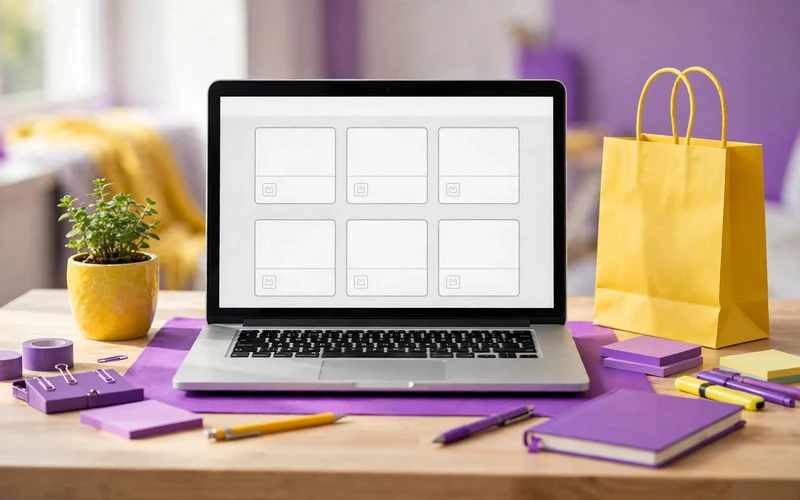
A good template will not sell if the listing is unclear. Your listing has four parts: title, preview images, description, and price.
The title should say what the product is and who it is for. For example, “ATS-Friendly Fresher Resume Template, Editable Word and Canva” is much better than “Resume Template.” Use words buyers actually search for, such as the job type and the word “editable.”
The preview images are the most important part. Show the full template, a close-up of one section, and the template filled with sample text. Show all the colours in the pack. Buyers decide in a few seconds, and clear images win the sale. The description should answer buyer questions before they ask. Say the file format, the number of pages, and the sections included.
How to Promote Your Templates for Free
You do not need paid ads to get your first sales. You need to show your templates where job seekers already spend time. Pinterest is one of the best free places. Create simple pins that show your template and link to your listing. A good pin can bring traffic for months.
Ask your first buyers for a review. A short and honest review helps the next buyer trust you. You can also offer a free mini template in exchange for an email address. A free sample brings people to your shop.
Common Mistakes That Stop Sales
The first mistake is designing for everyone. A template with no clear buyer gets lost among thousands of others. Pick one buyer group and design for them. The second mistake is making the design too fancy. Heavy graphics and dark backgrounds may look nice, but they often fail resume-scanning software and print badly.
The third mistake is selling only a locked PDF. Most buyers want to edit the text, so always sell an editable file, such as Word or Canva. The fourth mistake is using weak preview images. Blurry images make buyers leave.
The fifth mistake is launching with only one listing and then waiting. One listing has a small chance of being found. Aim for five to ten listings in your first month, all in the same buyer group. The sixth mistake is giving up after one quiet week. Sales grow slowly at first. Keep adding designs and sharing your work.
Your First 30 Days: From First Template to First Sale
In week one, pick your buyer group and your tool. Design your first template and test it with sample text. Make the ATS-friendly version and write a one-page instruction file.
In week two, create three more templates for the same buyer group. Use different colours or layouts, but keep the same quality. Write clear titles and descriptions for all four listings. Open your shop on one marketplace and publish your first listing.
In week three, share your work. Post your templates on Pinterest and LinkedIn. Make one short screen video that shows how easy the template is to edit. In week four, add a bundle listing with all four templates plus a cover letter.

Conclusion
Resume templates are a simple way to start selling digital products. You design once, and the same file can sell many times. You do not need design skills, money, or a big audience to begin. You need one clear buyer group, a clean layout, and a simple listing.
Start with one template for one type of job seeker. Test it like a buyer, make an ATS-friendly version, and list it on one marketplace with clear preview images. Then add more designs and share your work for free. Make your first template this week and take the first small step now.
Frequently Asked Questions
Do I need design skills to sell resume templates?
No, you do not need professional design skills. A clean and simple layout in Canva or Word is often more valuable to buyers than a fancy design. What matters is that the template is easy to edit and easy to read.
Which format sells best: Word, Canva, or PDF?
Editable formats sell best. Word is the most requested, because most buyers want to type straight into the file. Canva is also popular, especially with buyers who do not have Word. A locked PDF alone is hard to use, so always include an editable file.
How many templates do I need before I can start selling?
You can start with just one good template. One well-made and ATS-friendly design is enough to publish your first listing. After that, aim for five to ten listings in the same buyer group.
What is an ATS-friendly resume template?
An ATS is software that many companies use to scan resumes before a human reads them. An ATS-friendly template uses standard headings, simple formatting, and no text inside images. It helps the resume pass the scan and reach a real person.
Can I sell the same template on more than one platform?
Yes, in most cases you can. Most marketplaces do not ask for exclusive rights, so you can list the same template on Etsy and on Gumroad. Always check the rules of each platform first.
How do buyers get the file after they pay?
On most marketplaces, the buyer gets an instant download link right after payment. You do not need to send the file by hand. For Canva templates, the buyer gets a template link in the download file to copy and edit.
Do I need to show my face to sell resume templates?
No, you do not need to show your face. Your product is the design, not you. You can promote your templates with preview images, screen videos, and written posts. Many sellers never post a photo of themselves.
How long does it take to get the first sale?
It varies. Some sellers get their first sale in the first few weeks, especially if they price low and share their listings. Regular sales usually take a few months of steady work. There is no promised income or fixed timeline.






- Be Respectful
- Stay Relevant
- Stay Positive
- True Feedback
- Encourage Discussion
- Avoid Spamming
- No Fake News
- Don't Copy-Paste
- No Personal Attacks
- Be Respectful
- Stay Relevant
- Stay Positive
- True Feedback
- Encourage Discussion
- Avoid Spamming
- No Fake News
- Don't Copy-Paste
- No Personal Attacks
