Pros and Cons of SEO Tools: 10 Benefits and 10 Drawbacks
Published: 17 Oct 2026
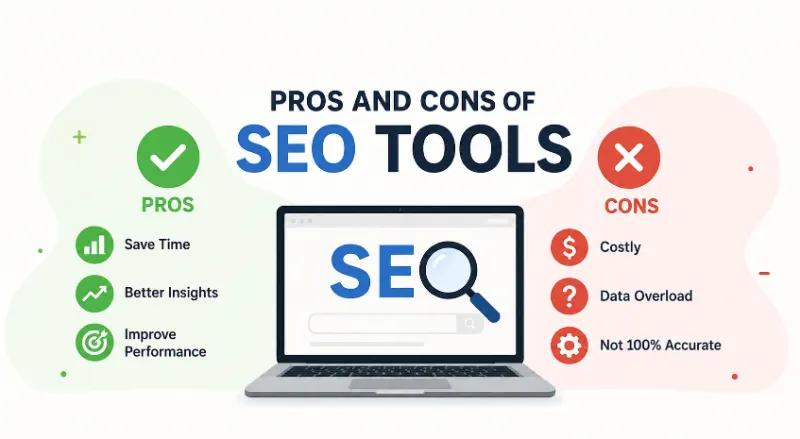
SEO tools help you find keywords, assess website performance, analyze competitors, and spot technical issues. However, they can cost money, show estimates instead of exact data, and make SEO feel harder than it needs to be. The best results come when you use these tools with your own judgment.
If you run a blog, manage a website, or want to earn money online, SEO tools can make your work easier. But are paid tools worth the cost, and can free tools do enough for beginners?
In this guide, you’ll learn the main pros and cons of SEO tools, how they help with everyday blogging tasks, and how to choose the right tools without wasting your budget.
What Are SEO Tools, and Why Do Bloggers Use Them?
SEO tools are apps or online services that help you improve your website’s visibility in search engines. They collect and organize information about keywords, website traffic, backlinks, and technical issues.
For example, a beginner blogger can use a keyword research tool to find topics people search for before writing a new post. A site audit tool can also point out broken links or missing page titles.
These tools support search engine optimization (SEO), which means improving your website so search engines can understand your content and show it to relevant users.
Advantages of SEO Tools: 10 Benefits for Bloggers
SEO tools can save time and help you make better decisions. They are useful for new bloggers, freelancers, content writers, and website owners who want to grow their sites through search traffic.
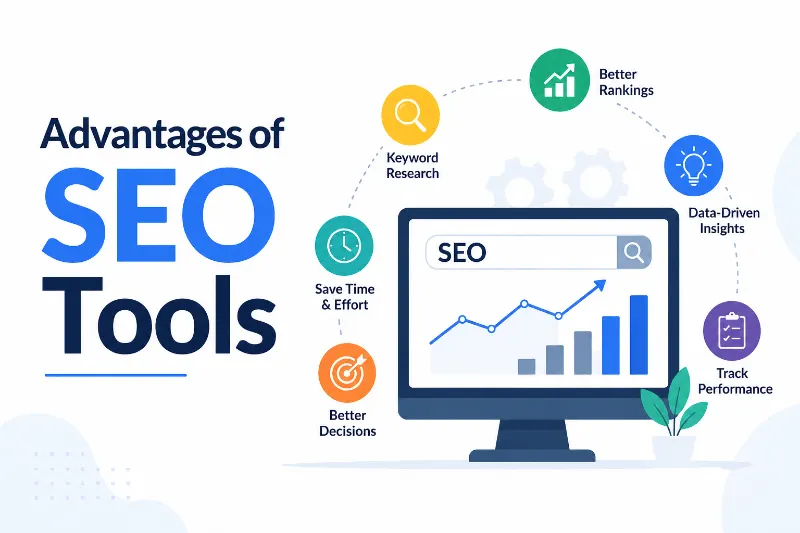
Here are 10 key benefits and how you can use them in your daily work.
1. They Help You Finish SEO Tasks Faster
SEO involves many tasks, from checking keywords to reviewing website errors. SEO tools can handle much of the data collection for you.
- Find keywords without checking every search result manually.
- Review many website pages in less time.
- Spot broken links and missing page titles.
- Create reports without building them from scratch.
- Spend more time writing helpful content.
Example: Instead of checking 30 blog posts one by one, you can use a site audit tool to find common problems across your website.
2. They Help You Understand Search Rankings
SEO tools can show estimated keyword rankings and track changes over time. This helps you see which pages are gaining visibility and which may need attention.
- Track selected keywords over time.
- Find pages that rank for relevant searches.
- Compare ranking changes across different periods.
- Spot pages that may need better content.
- Measure progress instead of relying on guesses.
Remember that rankings change by location, device, and search conditions. A tool cannot guarantee that your page will reach the first position.
3. They Make Keyword Research Easier
Keyword research helps you find the words and phrases your audience uses in search engines. It also helps you choose topics that match readers’ needs.
- Discover related search terms for your main topic.
- Compare estimated search volume and competition.
- Find specific, long-tail keywords.
- Explore questions readers ask about a subject.
- Build a content plan around relevant search terms.
Example: A blogger writing about freelancing could research phrases such as “how to find freelance clients” and “freelance websites for beginners” before planning new posts.
4. They Show What Your Competitors Are Doing
Competitor analysis helps you study other websites in your niche. SEO tools can reveal some keywords, backlinks, and pages that bring competitors search visibility.
- Discover topics covered by competing blogs.
- Find keyword ideas you have not targeted.
- Review pages that attract search traffic.
- Identify websites that link to competitors.
- Find gaps in your own content plan.
Use this information to discover opportunities, not to copy another website’s content or headings. Your article should offer its own examples, advice, and useful details.
5. They Help You Monitor Website Performance
SEO tools help you understand how people find your website and how your pages perform in search. This information can guide your next steps.
- Track clicks and impressions in Google Search Console.
- Review organic traffic trends in analytics tools.
- Identify pages that gain or lose visibility.
- Check which search queries bring visitors.
- Compare performance before and after updates.
Example: If a post receives many impressions but few clicks, you could review its title and meta description. First, check the page’s search intent and ranking position before changing anything.
6. They Help You Improve Content Quality
Content optimization tools can highlight missing subtopics, unclear headings, and related terms. These suggestions can help you create a more complete article.
- Find related topics readers may expect.
- Check whether headings follow a clear order.
- Review readability and sentence length.
- Identify missing answers to common questions.
- Organize content around the reader’s main problem.
These tools should support your writing, not control it. A clear, helpful article matters more than adding every suggested keyword.
7. They Help You Find Technical SEO Problems
Technical SEO covers the website settings and structure that help search engines crawl, understand, and index your pages. Some issues can prevent important content from appearing in search results.
- Find broken internal links.
- Check for missing or repeated title tags.
- Review page indexing and crawl issues.
- Identify redirect errors and other technical warnings.
- Check mobile usability and page speed with suitable tools.
Example: A site audit may flag a page that returns a 404 error. You can check the URL and restore the page or redirect it to a suitable replacement.
8. They Give You Useful Backlink Information
Backlinks are links from other websites to your website. Search engines may use them as one signal when evaluating pages, so understanding your backlink profile can help you plan your SEO work.
- Review websites linking to your pages.
- Discover potential sites for outreach.
- Compare backlink profiles with competitors.
- Find broken pages that have earned links.
- Monitor new and lost backlinks.
Focus on relevant, trustworthy links. A large number of low-quality links does not automatically improve your rankings.
9. They Make SEO Reports Easier to Understand
Many SEO tools turn large amounts of data into charts, tables, and summaries. These reports can help you understand progress without reviewing every metric separately.
- View key performance measures in one place.
- Compare results across different dates.
- Share reports with clients or team members.
- Highlight pages that need further review.
- Explain SEO progress in simple terms.
If you work as a freelancer, clear reports can help clients understand what you did and what needs attention next. Always explain what the numbers mean instead of sending charts without context.
10. They Can Support Long-Term Business Growth
SEO tools can be a useful investment when they solve real problems and help you use your time well. You do not need every paid tool to start growing a blog.
- Choose tools that match your main SEO tasks.
- Use free tools before buying advanced features.
- Reduce repetitive work where possible.
- Spend more time improving useful content.
- Review subscription costs against the value you receive.
Example: A new blogger may start with free search and analytics tools, then pay for advanced keyword research when managing several websites or client projects.
Disadvantages of SEO Tools: 10 Drawbacks to Consider
SEO tools are helpful, but they cannot make every SEO task simple or guarantee better rankings. Some tools also cost more than a beginner can afford.
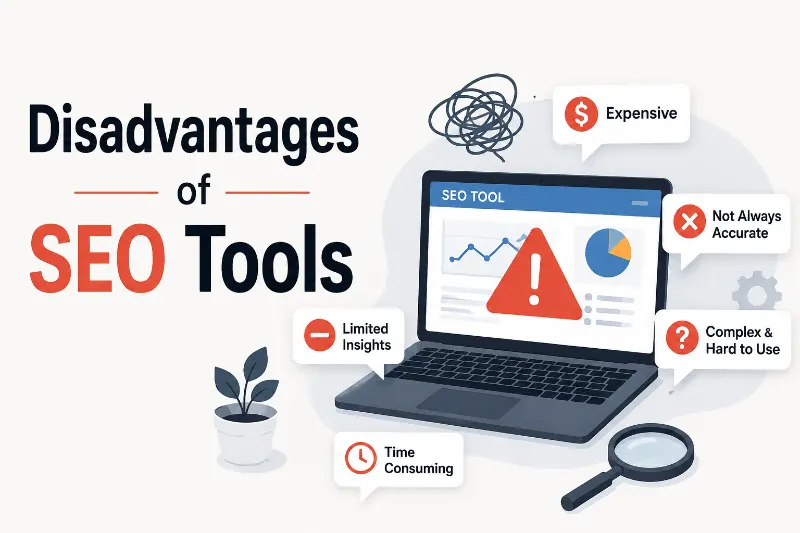
Before you buy a subscription, understand these 10 drawbacks so you can choose tools that fit your needs and budget.
1. Paid Tools Can Be Expensive
Many advanced SEO platforms charge monthly or yearly fees. Their prices can become a problem for beginners who have not started earning from their websites.
- Monthly subscriptions can strain a small budget.
- Advanced plans may include features you never use.
- Using several tools can increase your costs.
- Some features require higher-priced plans.
- Subscription fees can continue even when you use a tool rarely.
Start with free options and upgrade only when you need a feature that saves time or supports a clear business goal.
If you are trying to manage your blogging budget, you may also find these tips for saving money on rent useful for reviewing your wider monthly expenses.
2. Some Tools Take Time to Learn
SEO platforms often include many reports, filters, and settings. Beginners may find it hard to understand which numbers matter and which actions they should take first.
- Learn one feature at a time.
- Read the official guides for important tasks.
- Focus on the reports related to your current goal.
- Avoid changing settings you do not understand.
- Practice with one website before managing several.
You do not need to master every feature on day one. Start with keyword research, basic performance tracking, and simple website checks.
3. Their Data Is Not Always Exact
SEO tools often use estimates, samples, and their own methods to calculate data. Their numbers may differ from the figures reported by Google or another platform.
- Treat search volume as an estimate.
- Compare keyword metrics across tools when useful.
- Check actual clicks and impressions in Search Console.
- Review the date and location used in reports.
- Verify important findings before making big changes.
Example: Two tools may estimate different monthly search volumes for the same keyword. Use those figures as clues, then consider the topic’s relevance and the results shown in Google Search.
4. They Can Make You Depend on Data Too Much
SEO tools cannot fully understand your audience, your brand, or every reason a person visits your site. Following every recommendation may weaken your content.
- Do not add keywords where they sound unnatural.
- Avoid rewriting useful content just to satisfy a tool.
- Think about the reader before following a score.
- Check facts instead of trusting automated suggestions.
- Use your own judgment when choosing topics.
Your main goal is to help readers solve a problem. Content optimization means improving a page for readers and search engines, not chasing a perfect tool score.
5. Too Much Data Can Cause Confusion
Some tools show hundreds of metrics and warnings. Without a clear goal, you may spend hours reading reports without making useful changes.
- Pick two or three important metrics for each task.
- Review high-impact problems first.
- Ignore warnings that do not affect your current goal.
- Keep a simple list of actions to complete.
- Review progress on a regular schedule.
For example, a new blogger may benefit more from fixing broken links and improving a key article than from tracking dozens of ranking changes every day.
6. SEO Tools Need Regular Review and Updates
Search engines change how they understand and rank content. SEO platforms also update their features, reports, and recommendations. You need to review your methods as your website grows.
- Check whether your tool still meets your needs.
- Review major changes to search guidelines.
- Update old articles when the information is outdated.
- Recheck important pages after technical changes.
- Avoid following old advice without verifying it.
You do not need to change your SEO strategy every time a tool adds a feature. Focus on changes that matter to your website and readers.
7. No Tool Can Guarantee Higher Rankings
SEO tools can identify opportunities and problems, but they cannot control Google’s ranking systems. Results also depend on content quality, competition, website accessibility, and other factors.
- Treat ranking forecasts as estimates.
- Build content around real reader needs.
- Improve pages that offer weak or incomplete answers.
- Check technical issues that affect crawling or indexing.
- Measure progress over time rather than expecting instant results.
A tool can suggest a keyword, but it cannot promise that your article will reach the first page. Be careful with services that make guaranteed-ranking claims.
8. Free Versions Often Have Limits
Free SEO tools can be enough for basic tasks, but some limit searches, reports, tracked keywords, or the number of pages you can check.
- Review daily or monthly usage limits.
- Check which reports require payment.
- Use Google Search Console for search performance data.
- Try free keyword research features before upgrading.
- Avoid paying for features you do not need yet.
Free tools are a sensible starting point for many beginners. A paid subscription becomes more useful when the free limits regularly block important work.
9. Initial Setup Can Take Time
Some SEO tools need website verification, analytics connections, project settings, or tracking configurations. This setup can feel difficult if you have never managed a website before.
- Confirm that you own or manage the website.
- Follow the tool’s setup instructions.
- Connect the correct website property.
- Choose relevant locations and keywords.
- Check that reports collect data correctly.
Example: Before using Google Search Console, you need to verify your website. Once verification is complete, you can review available search performance and indexing information.
10. Tools Cannot Replace SEO Knowledge
SEO tools show data and recommendations, but you still need to understand what those results mean. A warning does not always mean your page has a serious problem.
- Learn basic SEO concepts alongside your tools.
- Understand search intent before selecting a keyword.
- Review a page before making technical changes.
- Check whether a suggested fix suits your website.
- Ask a qualified expert when a complex issue needs attention.
You can learn SEO as a beginner without becoming a technical expert overnight. Start with the basics and build your skills as your website grows.
Best Free and Paid SEO Tools for Beginners
You do not need an expensive SEO platform to begin. Choose tools based on the task you want to complete and the information you need.
Here are a few options worth exploring:
- Google Search Console: Check search clicks, impressions, indexing, and queries that bring visitors to your website.
- Google Analytics: Learn how visitors use your website and which pages receive traffic.
- Google Keyword Planner: Explore keyword ideas and search-volume estimates. Some data and features depend on your account and campaign setup.
- Ahrefs: Explore keyword research, backlinks, and competitor data through its available plans and tools.
- Semrush: Research keywords, review competitors, and audit website SEO using its available features.
Free access, usage limits, and paid features can change, so check each provider’s current plans before purchasing.
How Should You Choose the Right SEO Tool?
The best choice depends on your website, experience, and budget. Start with one task instead of signing up for several platforms at once.
- For search performance, begin with Google Search Console.
- For visitor behavior, explore Google Analytics.
- For keyword ideas, try a suitable free research option.
- For backlink analysis, compare the features of established SEO platforms.
- For technical checks, use a site audit tool that fits your website size.
If your blog is new, spend your time learning how to create useful content before paying for advanced reports. When your blog starts earning money, you can review whether a paid tool offers enough value to justify its cost. For more ideas on tracking blog growth, see this guide to blog income reports.
How to Use SEO Tools Without Wasting Time or Money
A simple process can help you get more value from SEO tools. You do not need to check every metric every day.
- Set one goal. Decide whether you want to find keywords, fix technical issues, or improve an existing post.
- Choose one suitable tool. Start with a free option when it can do the job.
- Check the data. Look at the date, limits, and meaning of each metric.
- Take action. Improve a page, fix an error, or plan a relevant article.
- Measure the result. Review performance over time and decide what to do next.
Example: Suppose you publish a post about saving money as a student. Search Console may show that people find your page through a related search term. You can review the post and add a useful section if it answers a real question that the current article misses. You can also explore these money-saving tips for students for related budgeting ideas.

Common Mistakes to Avoid When Using SEO Tools
Even good tools can lead to poor decisions when you use them without a clear plan. Avoid these common mistakes to keep your SEO work focused.
- Chasing search volume alone: A keyword with many searches may not match your audience or website.
- Copying competitors: Use competitor reports to find gaps, not to reproduce another site’s content.
- Buying too many subscriptions: Compare your needs before paying for multiple platforms.
- Trusting every warning: Review the issue and its impact before making changes.
- Expecting instant results: SEO takes time, and ranking changes are not guaranteed.
If your main goal is to grow an online business, make each SEO task support a clear result. For example, useful content may attract readers who later explore your services or other relevant pages. You can also review this money-saving challenge to think about how small, regular savings can help you manage tool costs.
Frequently Asked Questions About SEO Tools
1. Are SEO tools worth it for beginners?
Yes, SEO tools can help beginners understand keywords, search performance, and website issues. Start with free tools and learn the basics before paying for advanced features.
2. Can I do SEO without paid tools?
Yes. You can start with free tools such as Google Search Console and Google Analytics. You can also review search results and study what readers need before writing a post.
3. Do SEO tools guarantee first-page rankings?
No. SEO tools provide data and suggestions, but they cannot guarantee rankings. Your results depend on several factors, including content quality, competition, technical health, and changes in search systems.
4. Which SEO tool is best for keyword research?
The best tool depends on your budget and needs. Google Keyword Planner can provide keyword ideas, while platforms such as Ahrefs and Semrush offer additional research features. Compare their current features before choosing one.
5. How many SEO tools should I use?
There is no fixed number. Start with one or two tools that solve your main problems. Add another tool only when it provides information or features you cannot get easily from your current setup.
Conclusion
SEO tools can make keyword research, performance tracking, competitor analysis, and technical checks easier. However, they cost money, require learning, and cannot guarantee rankings.
Start with free tools, focus on your readers, and use data to guide your decisions rather than control every part of your work.
Your next step: Choose one SEO task you want to improve and try a suitable tool today. What is the first SEO problem you want to solve on your website?





- Be Respectful
- Stay Relevant
- Stay Positive
- True Feedback
- Encourage Discussion
- Avoid Spamming
- No Fake News
- Don't Copy-Paste
- No Personal Attacks
- Be Respectful
- Stay Relevant
- Stay Positive
- True Feedback
- Encourage Discussion
- Avoid Spamming
- No Fake News
- Don't Copy-Paste
- No Personal Attacks
