How to Sell Printables on Etsy for Beginners
Published: 5 Nov 2026
How to Sell Printables on Etsy for Beginners
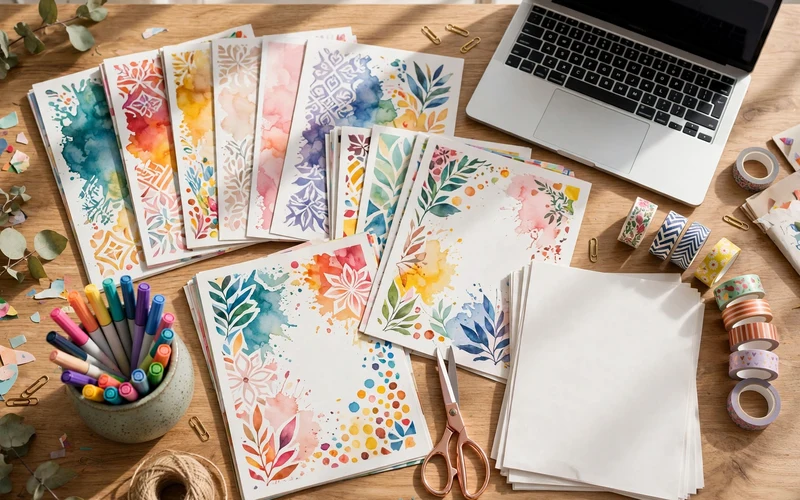
Printables are digital files that people buy, download, and print at home. They can be planners, checklists, wall art, worksheets, or party games. You make the file once. Etsy delivers it to the buyer. You do not pack anything. You do not post anything. That is why many beginners love this idea.
Selling printables on Etsy is a good first online business. The start cost is low. You do not need stock. You do not need a shop full of products. You need one useful design, one clear listing, and a simple plan to help buyers find it.
This guide shows you the full process in simple steps. You will learn how to pick a product, design it in Canva, list it the right way, price it fairly, and get your first sales. You will also learn the mistakes to avoid, so you do not waste time or money.
What Are Printables and Why Do They Sell?
A printable is a digital file made for printing. The buyer pays on Etsy, downloads the file, and prints it at home or at a print shop. The file can be a PDF, a PNG, or both. The buyer gets it at once. There is no waiting for delivery.
Printables sell because they solve a small problem fast. A busy parent wants a weekly meal planner. A teacher wants a fun worksheet for her class. A bride wants a simple wedding checklist. A student wants a study tracker. These buyers do not want to wait days for a parcel. They want a file they can use today.
You do not need to be a trained designer to start. Many sellers use Canva, a free and simple design tool. Canva has templates, fonts, and shapes you can use. You can change the colours, add your own text, and make the design your own. One file can sell many times, but be honest with yourself. Sales take time, and new shops do not sell fast on day one. You need good products, good listings, and patience.
Step 1: Pick a Niche and a Product That Buyers Want
Do not start by designing what you love. Start by finding what buyers already search for. This is the most important step. Many new sellers skip it, and then they wonder why no one buys.
A niche is a small, clear topic. “Printables” is too broad. “Budget planner for busy mums” is a niche. “Wedding planning checklist” is a niche. “Teacher worksheets for young kids” is a niche. A clear niche helps buyers find you, and it helps you design the right product.
Look for a niche with two things: people search for it, and the top sellers are not too strong. Go to Etsy and search for your idea. For example, search for “budget planner printable.” Look at the top results. How many reviews do they have? If the top sellers have thousands of reviews, the niche may be hard for a new shop. If they have fewer than 200 reviews, it may be easier to enter.
Step 2: Design Your First Printable in Canva
Canva is the best tool for most beginners. It is simple, it has a free plan, and it works in your browser. You do not need to install anything. You can also use PowerPoint if you prefer it, but Canva is easier for design.
Set your design for print. Use a clean layout with space to write. Use large, clear text. Use two or three colours that match well. Do not use too many fonts. One font for titles and one font for body text is enough. Keep the design calm and easy to read.
Step 3: Open Your Etsy Shop the Right Way
You need a product ready before you open your shop. Etsy asks you to create your first listing during shop setup. So finish your printable first, then open the shop.
Go to Etsy and click “Sell on Etsy.” Create an account or sign in. Choose your shop language, your country, and your currency. Then pick a shop name. Pick a short, clear name that fits your niche. A name with “planner” or “printable” in it tells buyers what you sell. Check that the name is not already taken.
Step 4: Create a Listing That Buyers Can Find
A listing is your product page on Etsy. A good listing helps buyers find you in search, understand what they get, and feel safe to buy. A weak listing does none of these things.
First, set the listing type to Digital. This is very important. If you set it to Physical by mistake, Etsy will ask the buyer for a shipping address, and the buyer will be confused. When you pick Digital, Etsy will let you upload your files. You can upload up to five files, each up to 20 MB. Upload your PDF, and add the A4 version and the PNG version if you have them.
Write a clear title. Start with the main keyword buyers search for. For example, “Budget Planner Printable, Monthly Budget Tracker.” Do not start with a cute name or your shop name. Etsy search reads the title first. Put the most important words at the start. Keep the title clear and natural. Do not stuff it with too many keywords.
Use all 13 tags, with broad and specific phrases buyers would type.
The table below shows example listing details. These are example prices, labelled illustrative only. Use them as a guide for your own listing.
| Printable Product | Example Price | What Is Included |
|---|---|---|
| Single-page tracker | $3 to $5 | 1 PDF page, US Letter and A4 sizes |
| Multi-page planner pack, 5 to 10 pages | $7 to $12 | PDF pack, US Letter and A4 sizes, PNG version |
| Full bundle, 20 pages or more | $15 to $25 | Full PDF bundle, US Letter and A4 sizes, PNG version |
| Wall art set, 3 prints | $5 to $10 | 3 high-quality PNG and PDF files for printing |
Step 5: Price Your Printables Fairly
Pricing is one of the biggest mistakes new sellers make. Many start too low. They think a low price will bring more sales. But a very low price can make buyers think the product is low quality. It also leaves you with very little money after Etsy fees.
Etsy charges $0.20 per listing, a 6.5% fee on each sale, and a payment fee that varies by country. On a $7 sale, you keep about $6.
Use the table above as a starting guide. A single-page printable can start at $3 to $5. A multi-page pack can start at $7 to $12. A full bundle can start at $15 to $25. These are example prices, not rules. Check what similar products sell for in your niche. Price near them, not far below them.
Step 6: Get Your First Sales With Etsy SEO and Pinterest
Etsy SEO means making your listing easy to find in Etsy search. It is not hard. It is about using the right words in the right places. Your title and tags work together. Etsy matches a buyer’s search to words in your title and tags. If your title says “budget planner printable monthly” and your tags include “weekly budget tracker” and “printable budget worksheet,” you cover more searches without stuffing the title. Use words buyers actually use.
Pinterest is a strong free traffic source for printables. It is a visual search engine. Buyers browse Pinterest for planner ideas, party ideas, and home ideas. Make a Pinterest pin for each listing. Use your listing mockup as the image. Add a short text overlay that says what the product is, like “Monthly budget planner, instant download.” Link the pin to your Etsy listing. Make a second pin with a different image a few days later.
Step 7: Handle Buyers, Reviews, and Copyright With Care
Good customer service is a big part of selling on Etsy. Buyers of digital products often have simple questions. They may ask how to download the file, how to print it, or if they can use it on a tablet. Answer fast and kindly. A fast, kind reply can turn a worried buyer into a happy reviewer.
Copyright is very important. Do not use Disney characters, brand logos, famous quotes you do not own, or images you found on Google. Do not sell Canva templates exactly as they are. Do not use fonts or graphics without a commercial licence. If you are not sure about an element, do not use it. A copyright strike can close your shop. It is not worth the risk. Do not copy another seller’s listing text or design either. Learn from the idea, but make your own version.
Step 8: Grow Your Shop One Product at a Time
After your first listing, the work is not over. It is just the start. Growth on Etsy comes from adding more good products, improving old listings, and learning what buyers want.
Add new products regularly. Aim for one new listing each week if you can. Each new listing is a new chance to be found in search. A shop with 20 good listings has more chances than a shop with 3 listings. But do not rush. A few good listings are better than many weak ones.
Improve your best listings first. Update the mockups if they look plain. Add more listing images. Make the description clearer. Add a new size or a new file format if buyers ask for it. Small improvements can make a real difference.
Conclusion
Selling printables on Etsy is a simple business, but it is not instant. You make a useful file once, list it well, and let Etsy deliver it to buyers. The start cost is low. The work is creative. The potential is real if you are patient and consistent.
Start with one niche. Research what buyers want. Design one clear printable in Canva. Open your shop. Write a clear listing with a good title, 13 tags, and strong mockups. Price it fairly. Share it on Pinterest. Then make your next product.
Do not wait for a perfect design or a perfect shop. Make your first printable this week. List it. Learn from the results. Improve it. Then make the next one. That is how a small Etsy shop grows into a real income stream.
FAQs
Do I need design experience to sell printables on Etsy?
No, you do not need design experience. Canva is free and simple to learn. Its templates, fonts, and shapes cover most printable types. What matters more is picking a niche buyers want and making a clear, useful design.
How much does it cost to start selling printables on Etsy?
The start cost is low. Etsy charges $0.20 to list one product for four months. You can design with Canva’s free plan. You may pay for Canva Pro later if you want more elements. There is no need to buy stock or pay for shipping.
How much money can I make selling printables on Etsy?
It varies a lot. It depends on your niche, your prices, how many listings you have, and how much traffic you get. Some new sellers make only a few sales in the first months. Others build up over time as they add more products. No one can promise you a set income.
What file formats should I offer for Etsy printables?
PDF is the standard format for printing. Offer PDF Print for the best print quality. Add a PNG version if buyers may use the printable on a tablet. Offer both US Letter and A4 sizes when you can, so buyers in different countries can print easily.
Can I sell printables made with Canva templates?
You can use Canva templates as a starting point, but you must change them. Change the colours, fonts, layout, and text to make the design your own. Do not sell a Canva template exactly as it is. Also check the licence for Pro elements before you sell a design that uses them.
Do I need a business licence to sell printables on Etsy?
It depends on your country and local rules. Some places need a business registration, while others do not for a small online shop. Check the rules in your country before you start selling. Etsy will also ask for payment and identity details during shop setup.
How do I get my first sale on Etsy?
Make a useful product in a niche with real demand. Write a clear listing with a good title, all 13 tags, and strong mockups. Share the listing on Pinterest in the first week to use the new-listing boost. Be patient, as new shops often take weeks to get their first sale.
What should I do if a buyer cannot download or print my file?
Reply fast and kindly. Tell them how to find the download in their Etsy account after purchase. Add a README file with clear printing steps, such as printing at 100% scale and picking the right paper size. Most download and print problems are simple to fix with clear instructions.






- Be Respectful
- Stay Relevant
- Stay Positive
- True Feedback
- Encourage Discussion
- Avoid Spamming
- No Fake News
- Don't Copy-Paste
- No Personal Attacks
- Be Respectful
- Stay Relevant
- Stay Positive
- True Feedback
- Encourage Discussion
- Avoid Spamming
- No Fake News
- Don't Copy-Paste
- No Personal Attacks
