How to Sell Low-Content Books on Amazon KDP for Beginners
Published: 5 Nov 2026
If you have ever kept a notebook or planner, you already understand a low-content book: pages that are mostly blank, lined, dotted, or lightly structured, rather than filled with long chapters. A journal, daily planner, habit tracker, or guest book all fit this category. Readers buy them for a useful layout, a pleasant cover, and a format that fits their routine.
Amazon Kindle Direct Publishing, usually called KDP, lets independent creators publish paperbacks through Amazon without paying for a large print run in advance. With print-on-demand, a copy is printed only after a customer orders it, so you need no storage at home. It does not remove the work: you still need an original idea, a clean interior, and an honest listing.
This guide covers what low-content books are, interior and cover design, publishing through KDP, and honest pricing and promotion. It guarantees no sales or income: results depend on quality, usefulness, clarity, and effort.
What Are Low-Content Books?
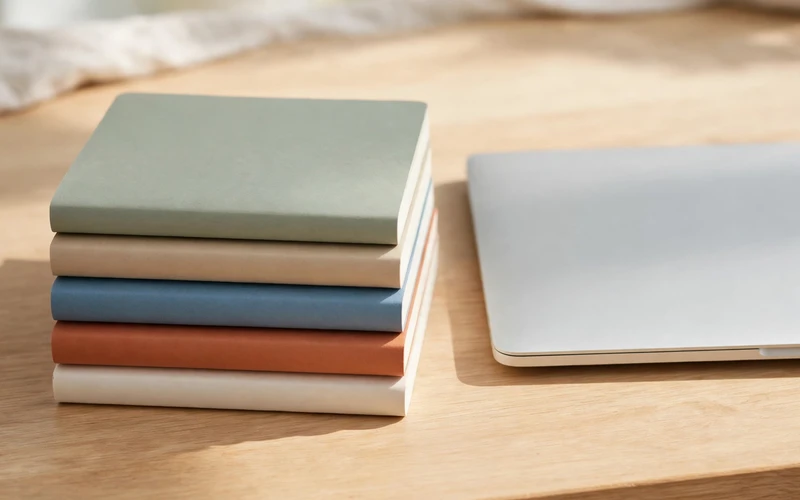
A low-content book is a printed book whose value comes mostly from its structure, not written content. Its interior may contain lined pages, dotted pages, blank sketching pages, simple habit tables, or a short repeated prompt. A lined notebook is one of the simplest examples; a weekly planner with space for tasks and notes is more structured.
Unlike a non-fiction book built around chapters, or a novel built around a story, low-content books are tools. A buyer might use one to organise a day, record memories, or track a hobby. That is why design matters: cramped lines, narrow margins, or a confusing layout make a book hard to use, however attractive its cover. KDP’s rules can change, so check its current guidelines before publishing, and avoid copied material and trademarked characters.
Why Beginners Start With Low-Content Books
Beginners are often drawn to low-content books because the barrier is lower than for a long written book. You need not write tens of thousands of words or master a complex topic first. A focused notebook or planner can be designed with a simple layout tool, a clear plan, and careful proofreading.
Print-on-demand is another reason. You need not pay a printer for hundreds of copies, arrange storage, or post orders yourself. Amazon handles printing and delivery, and you earn a royalty per sale after printing costs and Amazon’s share. That model is beginner-friendly, but not free money: printing costs, size, and price affect what you earn per copy, and many books sell only a few copies. They also teach useful skills quickly, including page sizing, margins, and cover design.
Types of Low-Content Books You Can Make
Start with a type you understand and can design well. Journals and notebooks are simplest: a lined journal, a dotted journal, a gratitude journal with a short daily prompt, or a blank sketchbook. Keep the layout consistent throughout.
Planners are a step up in complexity. A daily planner might include space for the date, priorities, and appointments, while a weekly planner might show seven days across a spread. Meal planners, budget trackers, and habit trackers follow the same principle: one clear layout, repeated usefully, with enough writing space. Logbooks serve a specific activity — a reading, workout, garden, or travel log — and work best when their columns match that activity. Children’s activity books need extra care, with original, age-appropriate illustrations and no copied characters. If you are unsure about those rules, start with an adult notebook or planner.
Choosing a Niche You Can Serve Well
A niche is a clear audience and a clear use for the book. “A planner for teachers” is clearer than “a planner for everyone,” and “a garden log for vegetable growers” is clearer than “a notebook.” A clear niche helps you decide the pages, cover style, and title wording, and helps a buyer recognise at a glance whether the book is for them.
Choose a niche by asking three questions: do you understand what this audience writes down or tracks? Can you design one complete, useful interior without copying someone else’s book? Can you describe the book clearly, including size, page count, and layout? Three yeses mean a workable start. Avoid choosing a niche only because someone online called it profitable. One genuinely useful book for a small audience beats ten generic notebooks.
How to Design a Useful Interior
A good interior starts on paper, before you open any design tool. Sketch one page, or a two-page spread if your book uses spreads, and decide where the date goes and how much writing space each section gets. Leave enough room for handwriting: lines too close together look tidy on screen but are hard to write on in print.
Consistency matters more than decoration. Use the same fonts, spacing, headings, and margins throughout, and avoid clutter: white space is writing space. Check KDP’s requirements for your chosen trim size, the finished size of the book. Each size has its own margin and bleed rules — bleed means artwork reaches the page edge. Use KDP’s templates and preview tool, and check every page at full size for cut-off text and spelling mistakes.

Covers That Help a Buyer Decide
The cover is the first thing a buyer sees, often as a small thumbnail on Amazon. Its title must therefore be readable at small size, its design clear, and its purpose obvious. A gardeners’ notebook should not look like a business planner. Choose colours and images matching the audience and use.
Keep the cover simple: one clear title, one subtitle if needed, and one main image usually beat several competing elements. Avoid tiny text that vanishes in a thumbnail, and make sure the cover title matches your KDP listing. You also need a back cover and spine. The back cover can briefly, honestly describe the layout, page count, and audience. Use only images and fonts you may use commercially.
Publishing Step by Step on KDP
Publishing on KDP follows a clear sequence, worth working through slowly the first time. First, create a free KDP account and complete the account, tax, and payment details needed before you can receive royalties. Next, create a new paperback title and enter its details: title, subtitle, author, description, keywords, and categories. Write the description for a buyer, explaining layout, page count, trim size, and audience.
Then upload your interior and cover files in the formats KDP requires, usually PDF. Use KDP’s previewer to check the interior page by page and the cover front to back, fixing margin, cut-off text, or blank-page issues first. Choose your trim size, paper type, and price, and review KDP’s royalty estimate. Printing costs depend on page count and size, so a longer book leaves less royalty per copy at the same price. Finally, review everything and publish. KDP reviews the book before sale, so allow time for that, and fix only what it asks for if changes are requested.
Pricing Your Book Honestly
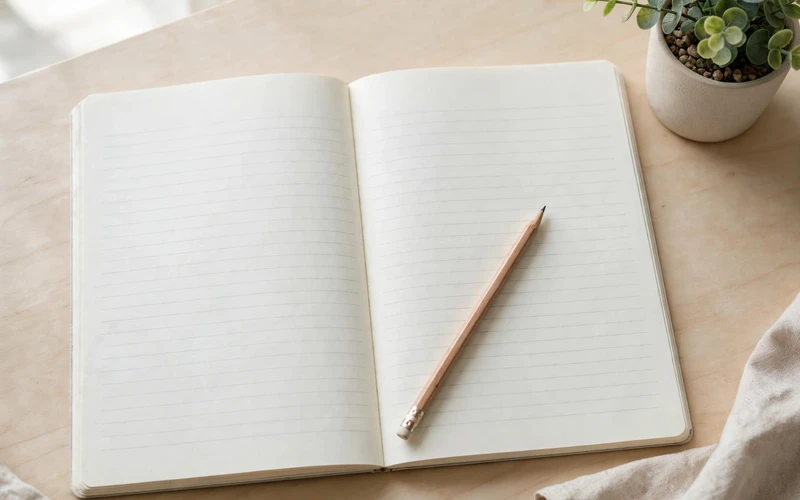
Pricing means balancing printing cost, a price buyers will accept, and the royalty you keep. KDP shows printing cost and estimated royalty for a given price, so use that calculator rather than guessing. A higher price may leave a larger royalty but reduce sales; a lower price may attract buyers but leave very little after printing costs.
The table below gives illustrative example prices only — not recommended prices, and not based on sales data. Real prices vary by trim size, page count, paper type, and competition. Use it only to see how price, printing cost, and royalty relate, and always check KDP’s calculator for your own book.
| Book example (illustrative only) | Illustrative example list price only | What affects the royalty |
|---|---|---|
| Small lined notebook, about 100 pages | Low illustrative range | Size, page count, and paper set the printing cost |
| Daily planner, about 150 pages | Mid illustrative range | A longer book costs more to print |
| Large weekly planner, about 200 pages | Higher illustrative range | A larger size can raise printing cost |
Do not price from what you hope to earn in total. Base it on the book’s size, quality, and comparable books, and accept that early books may sell slowly. Avoid discounting until the royalty disappears, or pricing far above similar books.
Promoting Your Book Without Hype
Many beginners expect Amazon search alone to bring sales, but a new book with no reviews or outside visibility can be hard to find. Promotion does not mean bold claims or fake reviews, which can harm your account. It means helping the right people discover a genuinely useful book.
Start with the listing: a clear title naming the book’s purpose, a description of its layout and page count, and keywords a buyer would actually search for. If you run a blog, write a helpful post on the topic — for example, how to keep a garden log — and mention the book naturally. Show the interior on social media, explain who it is for, and answer questions honestly. Avoid income claims: a calm, accurate description builds more trust than a dramatic one.
Common Mistakes Beginners Should Avoid
The most common mistake is copying. Do not copy another book’s interior, cover, title, or wording, or use artwork, characters, or brand names you do not own. A small change to a copied design does not make it original. KDP can block books violating its guidelines, and repeated violations can affect your account. Original work is the only safe foundation.
Another mistake is publishing without checking the preview. Margins and cover alignment are easy to miss on screen but obvious in print, so check the previewer page by page and order a proof copy when you can. A third mistake is making too many books too quickly: ten rushed notebooks are harder to sell than one careful planner. Focus on one book, and do not neglect correct spelling, a matching cover and listing title, and an honest description.
A Simple Starter Plan
A realistic first project takes weeks, not hours. In week one, choose one niche, study a few existing books as a buyer, and read KDP’s guidelines. Sketch your layout and decide trim size, page count, and cover style. In week two, design the interior and cover, checking margins and spelling as you go. In week three, upload to KDP, check the previewer, set a sensible price with the royalty calculator, and write a clear description; publish only when satisfied. In week four, share the book honestly, note buyers’ questions, and use that feedback for your next book.
Conclusion
Selling low-content books on KDP is a practical first publishing project, but it rewards care more than speed. Choose a clear audience, design an interior that is easy to write in, make a readable, honest cover, and follow KDP’s rules. Price sensibly, describe accurately, and promote without exaggeration. Your first book need not be perfect, but it should be original, complete, and useful — finishing one properly teaches you the whole process.
Frequently Asked Questions
1. What is a low-content book on Amazon KDP?
A low-content book is a printed book where most pages are lightly structured, not filled with long text — for example, lined journals, daily planners, habit trackers, and logbooks. Its value comes from layout and usability.
2. Do I need to write a full book to publish on KDP?
No. You do not need a long manuscript, but you do need a complete, original interior, a cover, and a clear listing, with margins, spelling, and the preview checked first.
3. How much does it cost to publish a low-content book on KDP?
No print run is needed in advance, because KDP uses print-on-demand: a copy is printed after a customer orders it, and printing costs come from the sale price before your royalty.
4. Can I use artwork or templates I found online?
Only with commercial-use rights and compliance with KDP’s guidelines. Do not copy another book’s interior, cover, or artwork, or use trademarked characters, brand logos, or images you do not own.
5. What size and page count should a beginner choose?
There is no single best size. Choose a trim size and page count fitting the book’s purpose — a pocket notebook can be smaller, a weekly planner larger for comfortable writing. Check KDP’s templates and previewer first.
6. How do I earn money from a low-content book?
You earn a royalty per copy sold, after printing costs and Amazon’s share. The amount depends on list price, trim size, page count, and paper type, shown by KDP’s royalty calculator. There is no guaranteed income.
7. Do I need reviews to sell a low-content book?
Reviews can help buyers trust a new book, but never buy fake reviews or offer payment for them. Focus on a clear listing, a useful layout, and honest promotion.
8. Is selling low-content books on KDP a guaranteed way to earn money online?
No. No honest guide can guarantee sales or income from KDP. Results depend on quality, clarity, competition, and consistent effort.






- Be Respectful
- Stay Relevant
- Stay Positive
- True Feedback
- Encourage Discussion
- Avoid Spamming
- No Fake News
- Don't Copy-Paste
- No Personal Attacks
- Be Respectful
- Stay Relevant
- Stay Positive
- True Feedback
- Encourage Discussion
- Avoid Spamming
- No Fake News
- Don't Copy-Paste
- No Personal Attacks
